
statementedge.com
Bank Statement Converter
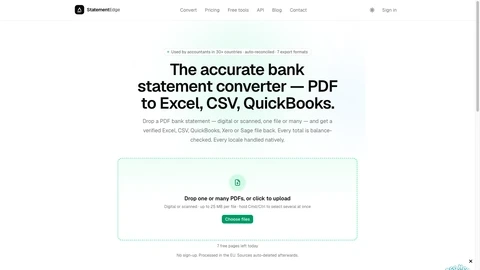
StatementEdge converts bank statement PDFs into verified, import-ready CSV, Excel, QuickBooks, Xero, Sage, and OFX files with auto-reconciliation.
Domain rating
2
Domain rating is Ahrefs' measure of domain quality according to links.
Popularity
High
The popularity on this site, based on the listing quality score and engagement signals.
About tool
StatementEdge is a bank statement converter that turns digital or scanned PDFs into clean, import-ready files for accounting and bookkeeping workflows. Upload one statement or multiple files at once, and get back verified outputs in CSV, Excel, QuickBooks (QBO), Xero, Sage 50, or OFX/QFX.
The conversion is vision-native and template-free, so it can extract transactions from many layouts without needing per-bank configuration. It’s designed to handle locale-specific details such as date formats, comma/period decimals, Money-In/Money-Out columns, Dr/Cr suffix notation, and multi-currency sections.
Each conversion is auto-reconciled: opening balance plus transactions must equal the closing balance. Only uncertain rows are flagged, helping you reduce manual cleanup before importing into your accounting system.
What kinds of statements can I convert with StatementEdge?
You can convert PDF bank and credit card statements, including digital PDFs and scanned documents. You can upload one file or many at once.
Which export formats are available after conversion?
You can export to CSV, Excel, QuickBooks (QBO), Xero, Sage 50 CSV, and OFX/QFX. Bulk conversions help with moving multiple client statements into accounting tools.
How does StatementEdge ensure the extracted totals are accurate?
Every statement is auto-reconciled by checking that opening balance plus transactions equals the closing balance. Rows that are genuinely uncertain are flagged for review.
Does StatementEdge require templates for each bank or statement layout?
No. The extraction is vision-native and template-free, so it’s designed to work across different statement layouts without per-bank templates that can go stale.
Can it handle different locales like date and number formats?
Yes. Locale handling includes common differences such as date order (DD/MM vs MM/DD), comma/period decimals, Money-In/Money-Out columns, Dr/Cr suffix notation, and multi-currency sections.
Is my uploaded PDF kept after conversion?
Source PDFs are purged after conversion. You keep the extracted data tied to your account.