
sci-draw.com
AI Scientific Figure Maker
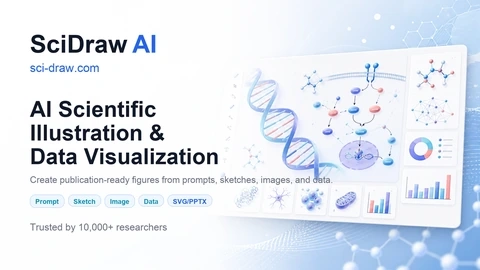
SciDraw AI turns text prompts and sketches (plus CSV/Excel data) into publication-ready scientific figures and charts, exported as editable SVG and PPTX.
Listing signals
Domain rating
46
Domain rating is Ahrefs' measure of domain quality according to links.
Popularity
High
Page views, clicks to the site and upvotes in the last 30 days, ranked against every live listing.
About tool
SciDraw AI is an AI-powered scientific figure and illustration maker for researchers, students, educators, and science communicators. Create publication-ready figures, diagrams, graphical abstracts, posters, mechanism/pathway visuals, and labeled teaching materials without advanced design skills.
Start from a text prompt or begin with a template, then refine your result through multi-round optimization. You can also upload a sketch or reference image and iterate in the editor, focusing on labels, colors, and layout until the figure matches your target style.
SciDraw AI also supports data visualization: upload CSV/Excel to generate publication-quality charts from AI, including journal-style presets (Nature, Science, Cell, PLOS, ACS) and colorblind-safe palettes like Okabe-Ito. Exports include editable SVG for vector refinement and PPTX for updating labels directly in PowerPoint, plus additional chart downloads (PNG/PDF/EPS/TIFF) and reproducible matplotlib/seaborn code.
What inputs can I use to make a scientific figure in SciDraw AI?
You can generate from a text prompt, start from templates, or upload a sketch/reference image for refinement in the editor.
Can I edit the generated figure after export?
Yes—SciDraw AI provides editable SVG and an editable PPTX export, so you can fine-tune labels and layout in Illustrator or PowerPoint.
How does SciDraw AI create charts from my data?
Upload a CSV or Excel file, then use AI to generate a chart in a journal-quality style. You can also download the matplotlib/seaborn code that reproduces the chart.
What chart types are supported?
SciDraw AI supports multiple chart types, including box plots, violin plots, scatter plots, heatmaps, and regression-style visualizations.
Does SciDraw AI offer journal-style formatting presets?
Yes. You can apply one-click presets for common journal styles (including Nature, Science, Cell, PLOS, and ACS), with colorblind-safe palette options such as Okabe-Ito.
How do credits work on SciDraw AI?
SciDraw AI uses a credit-based pay-as-you-go system. New users get 10 free credits on signup plus 5 free daily credits.