
pinebill.app
Invoice Management Platform
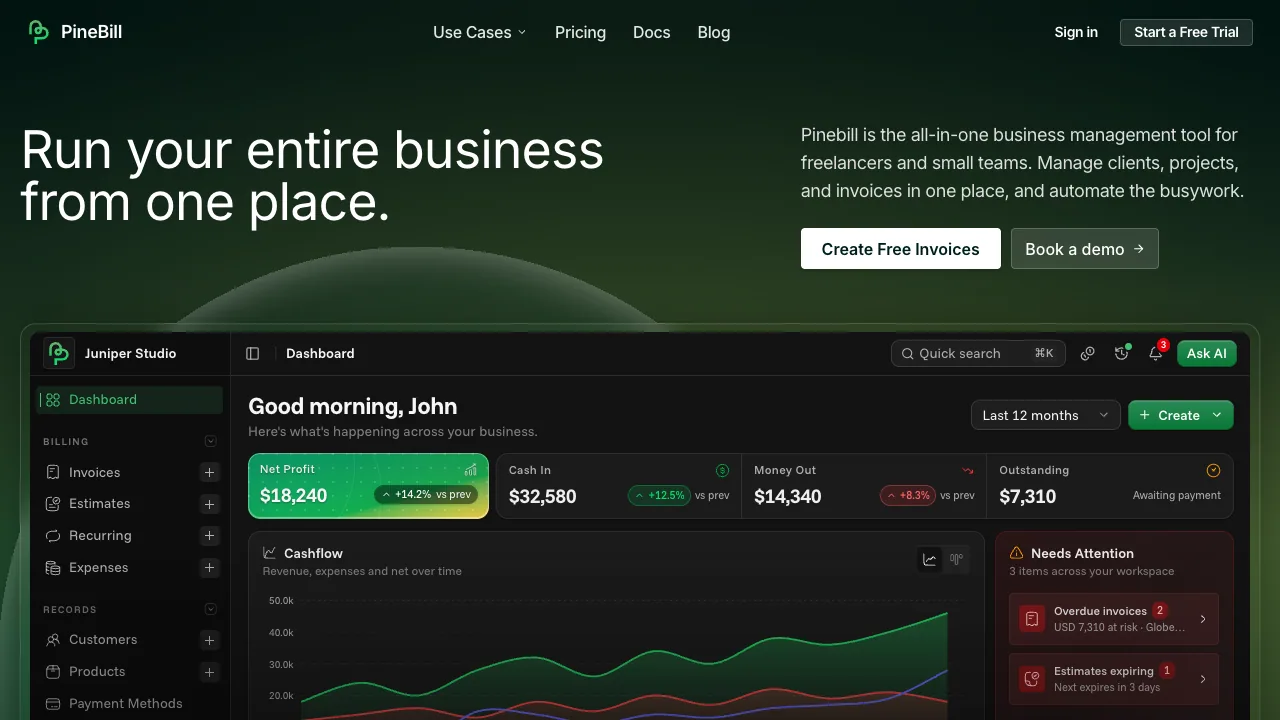
PineBill is an all-in-one invoicing and business management tool for freelancers and small teams, with estimates, recurring billing, AI help, and multi-language invoices.
Listing signals
Domain rating
27
Domain rating is Ahrefs' measure of domain quality according to links.
Popularity
High
Page views, clicks to the site and upvotes in the last 30 days, ranked against every live listing.
What is pinebill.app?
PineBill is an all-in-one business management tool that helps freelancers and small teams run invoicing, estimates, projects, and records in one browser dashboard.
Invoicing and estimates in one workflow
Create professional invoices and estimates/quotes with smart numbering, custom templates, and multi-language invoice support across 11 languages. Keep everything organized around clients, products, and payment methods so your billing details stay consistent.
A key workflow is converting accepted estimates into invoices in one click, then tracking status and cash flow using visual dashboards. PineBill also supports document control for shared invoices, including password protection with expiration dates and view limits, plus automated reminders to help drive payments.
Recurring billing that generates and emails invoices
For repeat revenue, set up recurring invoices on flexible schedules: weekly, biweekly, monthly, quarterly, or yearly. PineBill can automatically generate and email each recurring invoice. You can also pause and resume recurring runs.
AI assistant for invoice tasks and balances
An AI assistant is available to help create invoices, find customer information, summarize outstanding balances, and handle routine tasks.
Projects and task-based billing
PineBill includes projects and tasks so you can track work delivered to a client, record billable hours and milestones, and convert completed work into professional invoices—described as achievable in under 60 seconds.
Customer and records management with security controls
Store and manage key records such as customers, products, and payment methods, and use role-based permissions for access control across your team. FileVault provides secure document storage with S3-compatible storage, signed URLs, version history, and bulk uploads. Security features include AES 256-bit encryption, API key security, signed URLs, audit logging, and role-based access.
Pricing and plan limits
PineBill starts with a 7-day free trial (no credit card required).
- Solo: $7.50/month ($90 billed yearly), includes 100 invoices/month, 100 estimates/month, 500 AI credits/month, 100 customers, 1 team member, 10GB storage.
- Pro: $16.58/month ($199 billed yearly), includes 3K invoices/month, 3K estimates/month, 3K AI credits/month, 2K customers, 5 team members, 150GB storage.
- Enterprise: $75/month ($900 billed yearly), includes Unlimited invoices/month, Unlimited estimates/month, 10K AI credits/month, Unlimited customers, Unlimited team members, 1TB storage.
Quick start
- Start the 7-day free trial (no credit card required)
- Create your first invoice or estimate with templates
- Use one-click conversion from accepted estimates to invoices
- Set up recurring invoices when billing repeats
pinebill.app FAQ
Can I create both invoices and estimates in PineBill?
Yes. PineBill supports creating invoices and estimates/quotes, tracks acceptance, and lets you convert an approved estimate into an invoice with one click.
Does PineBill support multi-language invoices?
Yes. PineBill supports invoice creation in 11 languages, and you can use custom templates for a consistent document layout.
How does PineBill handle recurring billing?
PineBill supports recurring invoices on weekly, biweekly, monthly, quarterly, and yearly schedules. It can automatically generate and email recurring invoices, and you can pause or resume them.
What can the PineBill AI assistant help with?
The PineBill AI assistant can create invoices, find customer information, summarize outstanding balances, and help with routine tasks.
Can I protect shared invoices with password and access limits?
Yes. PineBill supports sharing invoices with password protection, an expiration date, and view limits. It also includes automated reminders to help with payment follow-ups.
What payment methods can I display on my invoices?
You can include bank transfer details, PayPal, cryptocurrency wallets, and custom payment methods (such as Zelle, Venmo, and Cash App) on a single invoice.
How much does PineBill cost, and is there a free trial?
PineBill starts with a 7-day free trial (no credit card required). Paid plans are Solo ($7.50/month billed monthly or $90 billed yearly), Pro ($16.58/month billed monthly or $199 billed yearly), and Enterprise ($75/month billed monthly or $900 billed yearly).
What happens to my data if I cancel?
You keep full access until the end of your current billing period. After expiration, PineBill invoices and related data become view-only until you resubscribe.
How do I log in to PineBill?
Use the Sign in option on the PineBill site to access your dashboard.
What are some alternatives to pinebill.app?
Similar listings to compare with pinebill.app:
- Invoiceize: Free invoice generator for creating and downloading professional PDFs.
- Convero: Project and task management with simple boards for individuals and teams.
- Cleverboek: Freelancer-focused accounting software with optional premium support.
- verifactu.best: Spain invoicing tool discovery for AEAT VeriFactu-related needs.