
heictopng.org
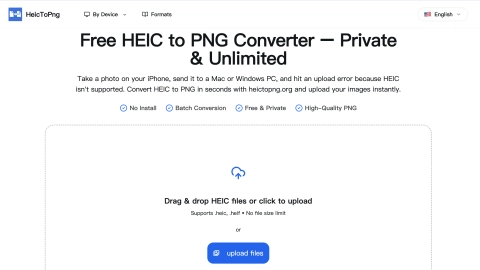
HEIC to PNG Converter
Convert HEIC photos to high-quality PNG in your browser with drag-and-drop batch support and privacy-first, on-device processing.
Listing signals
Domain rating
45
Domain rating is Ahrefs' measure of domain quality according to links.
Popularity
High
The popularity on this site, based on the listing quality score and engagement signals.
About tool
HeicToPng is a free, browser-based HEIC to PNG converter for iPhone photos and other HEIC/HEIF images. It lets you drag and drop files to convert them instantly, then download the results as PNGs—no installs, no sign-ups, and no upload workflow.
Batch conversion is supported for up to 100 images per session on desktop (30 on mobile). You can also fine-tune output using Advanced Settings like auto-rotate by EXIF orientation and an optional max dimension (Original, 4096, 2048, or 1024) to control PNG size.
Designed for privacy, conversions are processed client-side inside your browser rather than on a server. That means your photos stay on your device during conversion, and the tool keeps lossless quality with PNG output (including transparency when present).
Is HeicToPng free to use?
Yes. It’s a free HEIC to PNG converter with no sign-up, install, or paywall, and it supports batch conversion in sessions.
Do my photos get uploaded to a server for conversion?
No. Conversion runs inside your browser using client-side processing, so your images aren’t uploaded to a server during the workflow.
How many HEIC files can I convert at once?
You can batch convert up to 100 images per session on desktop, or up to 30 on mobile, then download everything as a ZIP.
Will converting HEIC to PNG reduce image quality?
No. The output is PNG, which is lossless, so the converter preserves the original resolution, colors, and details (though PNG files may be larger than compressed JPGs).
Does the converter handle .heif files, or only .heic?
It handles both .heic and .heif. They’re processed to produce the same lossless PNG output, regardless of which extension you upload.
Can PNG output preserve transparency and correct orientation?
Yes. If your original HEIC/HEIF has transparency, the PNG will keep it. Auto-rotate by EXIF orientation is available to keep images from appearing sideways.