comicsmaker.net
AI Comic Maker
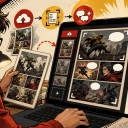
Comics Maker turns a single scene brief into an editable comic page by planning beats, generating panels, and adding dialogue and layouts.

Listing signals
Domain rating
17
Domain rating is Ahrefs' measure of domain quality according to links.
Popularity
Low
Page views, clicks to the site and upvotes in the last 30 days, ranked against every live listing.
Built withWebflow
Webflow makes it easy to build tools.
About tool
Comics Maker helps you make a comic from one scene brief—planning the story beats first, then generating an editable panel draft in your browser.
Start by naming the character, setting, visible action, and the change you want to show. After that, plan beats so the page has a clear panel count, pacing, shot type, and reading order before you move into polishing.
Choose a layout format such as single-panel, three-panel strips, 2x2 pages, or vertical flow. Add captions and dialogue close to the panel plan, and use style notes plus character/environment details to keep the visuals consistent across panels. The result is a reviewable draft you can use to check story clarity, panel order, dialogue spacing, and visual direction.
What can I make with Comics Maker?
You can generate editable comic drafts including comic strips, single-panel scenes, 2x2 story pages, vertical webtoon-style layouts, and storyboards.
Can I start without writing the whole comic?
Yes—begin with one scene in plain language. Comics Maker shapes that scene into panel structure and gives you dialogue controls for refinement.
How does panel planning help?
You plan beats from your scene input, then review panel count, pacing, shot type, and reading order. This keeps each panel focused on a single job and the overall story easy to follow.
What does Comics Maker create?
It creates editable comic drafts by planning beats, generating panels, and arranging captions and dialogue according to your chosen layout.
Can I edit the comic after generation?
Yes. The workflow is designed around an editable draft where you can adjust the panel plan, then add dialogue and layout elements close to the panels.
Do I need drawing or design skills?
No drawing skill is required to start—Comics Maker begins from a scene brief and helps structure panels and dialogue so you can iterate on the draft.
How do I keep characters and settings consistent across panels?
Use style notes plus consistent character and environment details as references, so each generated panel stays within the same visual direction and story world.
What formats can I choose for my comic page?
You can choose formats including single-panel, three-panel strips, 2x2 pages, and vertical flow.
What does the free plan include?
The free plan includes 10 starter credits for testing image generation.