
image2.app
AI Image Generator
Image2 helps you generate AI images from text prompts and edit existing photos to create product shots, ads, posters, and consistent branded visuals.
Listing signals
Domain rating
38
Domain rating is Ahrefs' measure of domain quality according to links.
Popularity
Medium
Page views, clicks to the site and upvotes in the last 30 days, ranked against every live listing.
About tool
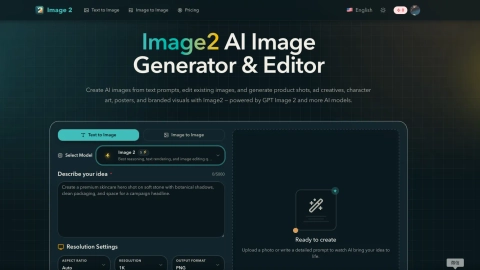
Image2 is an AI image generator and editor that turns text prompts (and source images) into ready-to-use visuals—product shots, ad creatives, character art, posters, and branded campaign imagery.
It’s built for more than one-off outputs. Start with text-to-image for fresh concepts, then use image-to-image to refine an existing result—adjusting composition, styling, backgrounds, subject details, and text placement without rebuilding everything from scratch.
Image2 also emphasizes practical creative workflows, including readable text for posters, ads, and UI-style mockups. Upload PNG, JPG, or WebP images, add clear prompt instructions (subject, style, layout, lighting/camera cues, and any on-image text), and iterate toward the version your team can approve. The tool offers multiple plan options for generation and editing across different volumes.
What can I create with Image2?
You can create product images, ad creatives, posters, character concepts, and branded visuals. Both text-to-image generation and editing of existing images are supported.
How do I use Image2 for revisions instead of starting over?
Use a source image with image-to-image to refine an existing result. Update backgrounds, styling, composition, or on-image text while keeping the core subject consistent.
Can Image2 generate readable text for ads and posters?
Yes. Image2 supports generating text intended to be readable in posters, ads, and UI-style mockups, which can reduce the need for separate redraw work.
What should I include in a prompt to get better results?
Describe the subject, target style, composition/layout, and any text you want in the final image. Add lighting/camera cues if they matter to the look.
Does Image2 support both text-to-image and image editing in the same workflow?
Yes. You can start from a text prompt, then move into editing and refinement using the generated result or an uploaded image.
What image formats can I upload to edit?
Image2 supports uploading PNG, JPG, and WebP images for image editing workflows.