
scidraw.org
AI Scientific Figure Generator
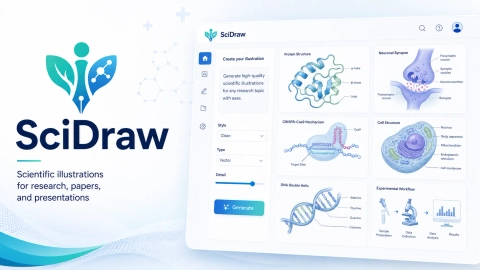
SciDraw turns prompts, sketches, and paper notes into labeled scientific figures, graphical abstracts, and schematics ready for review and export.
Listing signals
Domain rating
0
Domain rating is Ahrefs' measure of domain quality according to links.
Popularity
High
Page views, clicks to the site and upvotes in the last 30 days, ranked against every live listing.
About tool
SciDraw is an AI scientific figure generator for turning research ideas into clear, labeled visuals for papers, posters, slides, and teaching. Create graphical abstracts, pathway diagrams, experimental setup schematics, manuscript-to-figure drafts, and multiple diagram types for research and technical communication.
Start by describing your source material (a prompt, uploaded sketch or reference, or pasted paper notes). Specify the labels and the diagram type you want, and SciDraw generates a labeled draft you can review and refine. Focus on getting the structure right—then iterate on clarity and accuracy.
Before you use a figure, check labels, arrows, scientific claims, and alignment with your sources. SciDraw also includes high-resolution export and SVG vector export, making it easier to edit figures downstream for presentations and publication workflows.
What kinds of figures can I generate with SciDraw?
You can generate scientific figures including manuscript-style layouts, graphical abstracts, pathway diagrams, research setup schematics, and diagram drafts for AI system architectures, mechanisms, materials science, and RAG architectures.
What inputs does SciDraw support?
You can start from a structured prompt, upload a sketch or reference, or paste paper notes. Then specify the labels and diagram type to match your intended layout.
Do I need to be an expert designer to use SciDraw?
No. SciDraw is designed to draft labeled scientific figures from your description so you can focus on review and refinement rather than starting from scratch.
How should I check scientific accuracy before sharing a figure?
Review label text, arrow directions, scientific claims, and source alignment against your own materials. Use SciDraw outputs as a starting point, then edit as needed for correctness.
What export options are available?
SciDraw provides high-resolution export and SVG vector export, which helps when you need to reuse or further edit figures for slides and other materials.
How do credits and pricing work?
SciDraw uses subscription plans with credit-based generation, where credits refresh each billing cycle, and one-time credit packages that are valid for up to 12 months without auto-renewing. New signups receive 10 signup credits plus 3 daily credits.