
seedance2video.ai
AI Video Generator
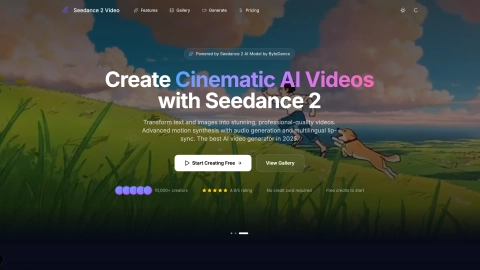
Seedance 2 Video Generator turns text, images, and references into cinematic AI videos online—fast, no install, with optional audio and lip-sync.
Listing signals
Domain rating
24
Domain rating is Ahrefs' measure of domain quality according to links.
Popularity
Medium
Page views, clicks to the site and upvotes in the last 30 days, ranked against every live listing.
Built withWebflow
Webflow makes it easy to build tools.
About tool
Seedance2Video.ai is an online AI video generator for creating cinematic-style videos from a prompt or a visual reference. Use text-to-video to describe scenes in natural language, or image-to-video to animate photos, illustrations, and concept art into dynamic motion while keeping the original look.
For more complete output, Seedance2Video.ai includes audio generation with synchronized sound effects, music, and multilingual lip-sync support. You can also tune your results with options like video duration and aspect ratio (16:9, 9:16, 1:1) and leverage cinematic camera controls such as dolly, crane, tracking, and zoom.
Work directly in your browser: enter your prompt (or upload an image), choose the model and settings, generate, then download your video in MP4 format. It’s built for quick iteration across use cases like social media content, marketing videos, product showcases, storyboarding, and creative experiments.
What can I create with Seedance2Video.ai?
You can generate videos using text prompts (text-to-video) or by animating an uploaded image (image-to-video). The platform also supports audio generation with synchronized audio and multilingual lip-sync for the Pro workflow.
Do I need to install any software to use it?
No—Seedance2Video.ai runs fully online, so you can create videos in your browser without installing anything.
How do I get better results with text-to-video?
Write a detailed prompt describing the scene and use cinematic terms like camera moves (e.g., dolly, close-up, aerial view) and style cues. More specific prompts generally produce more aligned results.
What settings can I choose before generating?
You can configure video duration and aspect ratio (16:9, 9:16, or 1:1). You can also enable audio synthesis when you want sound effects, music, or voice with lip-sync.
What file format do downloads come in?
Generated videos download as MP4 (H.264), making them easy to share across common platforms.
Is audio generated together with the video?
Yes—when using the audio-inclusive workflow, audio is generated in a single pass with synchronized audio-video output (including lip-sync support).