
seedance2video.io
AI Video Generator
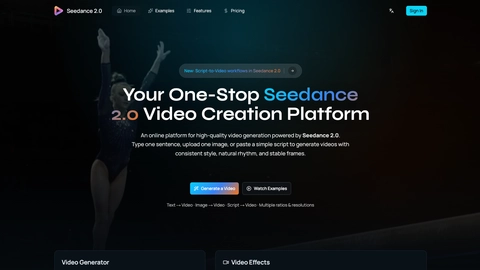
Seedance2Video.io generates AI videos from text, images, or existing media—using Seedance models to produce consistent motion and stable frames.
Listing signals
Domain rating
25
Domain rating is Ahrefs' measure of domain quality according to links.
Popularity
High
Page views, clicks to the site and upvotes in the last 30 days, ranked against every live listing.
About tool
Seedance2Video.io is an AI video and image generation platform powered by Seedance 2.x models. Create new clips from prompts or references, or extend and edit existing videos for more targeted storytelling and creative iteration.
Use text-to-video and image-to-video workflows to build cinematic shots with structured motion, consistent visuals, and stable frames. Camera and composition instructions (like push, pan, track, wide shot, and close-up) can be translated into the resulting footage, helping you keep your creative intent across iterations.
Need more control? Reference-based generation lets you combine inputs (video, images, and audio) to guide character motion, framing, and synchronized audio. You can also perform targeted edits such as subject replacement, object add/remove/edit, local repaint/repair, and video extension to continue scenes seamlessly—then export in multiple aspect ratios and resolutions for your platform.
What can I generate with Seedance2Video.io?
You can generate videos and images using text or references. Workflows include text-to-video, image-to-video, video-to-video (including edits), text-to-image, and image-to-image.
Does Seedance2Video.io support different aspect ratios and resolutions?
Yes—multiple aspect ratios are available (including 9:16, 1:1, 16:9, and more). Resolution options include 720p and 1080p.
How do references help with character consistency and control?
When you add reference media, the model can better preserve composition and identity while improving motion behavior. This reduces drift that can happen with free-form interpretation.
Can I edit an existing video, not just generate new ones?
Yes. You can do targeted edits such as subject replacement, object add/remove/edit, local repaint/repair, and video extension to continue a scene forward in time.
Is audio included, and does it support lip-sync?
Audio can be part of the workflow, and multilingual lip-sync is available in the Pro option. Use audio references to help sync sound effects and music with the action.
How fast does generation run?
Generation is designed for speed, with most videos rendering in under two minutes, depending on the chosen model and settings.