
wmhub.io
AI Video Generator
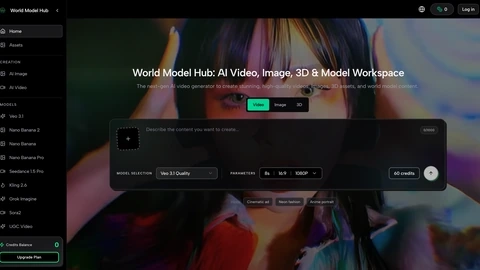
Seedance 2.0 on WMHub generates reference-led short videos using text plus image, video, and audio inputs for steadier continuity.
Listing signals
Domain rating
19
Domain rating is Ahrefs' measure of domain quality according to links.
Popularity
Medium
Page views, clicks to the site and upvotes in the last 30 days, ranked against every live listing.
Built withWebflow
Webflow makes it easy to build tools.
About tool
Seedance 2.0 is ByteDance’s multimodal AI video workflow for teams that need more than prompt-only generation. Instead of relying on text alone, it combines text with reference images, reference videos, and audio cues to shape short-form clips.
This approach is built for continuity across shots, so characters, props, identities, and overall visual intent can stay more consistent while you iterate. It’s especially useful for workflows where you already have approved stills, prior footage, storyboards, or music/audio direction.
Seedance 2.0 is designed for short clips (about 4s to 15s) and supports reference tagging to help anchor the right elements to the right beat. Use it for product ads, launch teasers, beat-synced performance moments, storyboard-to-video storytelling, and editing/extending passes that refine an existing concept instead of starting over each time.
What is Seedance 2.0 on WMHub?
Seedance 2.0 is an AI video generator that uses a reference-led workflow so text, images, video references, and audio can work together to create short-form clips with steadier continuity.
What inputs can I use in a single Seedance 2.0 workflow?
You can combine a text prompt with up to 9 reference images, 3 reference videos, and 3 audio tracks. Audio can’t run alone— it works alongside the other inputs.
Is Seedance 2.0 limited to text-to-video?
No. It supports multimodal creation in one workflow, including reference-guided generation, continuity-tagged shots, and follow-up passes like extension and editing.
How does Seedance 2.0 help with consistency across shots?
It uses tagged reference continuity so the model can keep identity, prop, or style attached to the intended beats across clips—useful for multi-shot product and narrative work.
What kinds of projects is Seedance 2.0 best for?
It’s especially strong for product ads and branded short videos, storyboard-style narrative work, music-driven clips, and motion-heavy scenes where timing and camera movement matter.
What clip length and resolution options can I target?
Seedance 2.0 focuses on short-form clips of about 4s to 15s, and it lets you choose output settings such as 480p or 720p to match your channel and review stage.