
Apptune
Apptune
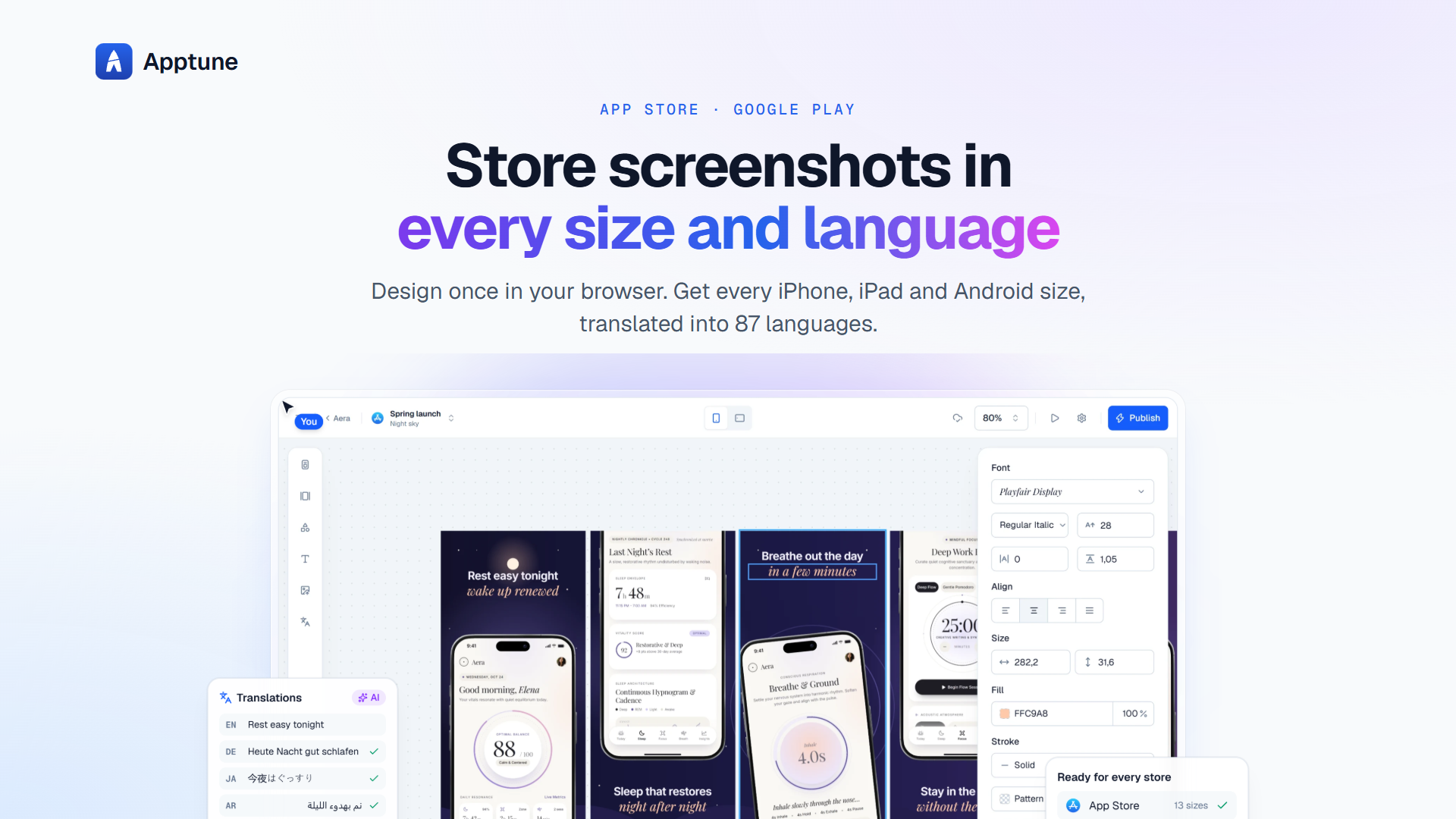
Apptune is a browser-based screenshot studio for App Store and Google Play that lets you design once, publish in one click, and translate to 87 languages.
Listing signals
Popularity
High
Page views, clicks to the site and upvotes in the last 30 days, ranked against every live listing.
What is Apptune?
Apptune is a screenshot studio for iOS and Android apps that creates App Store and Google Play screenshots from templates, sizes, and translations in one workflow.
What is Apptune
Apptune helps app teams design screenshots that fit every required device size and language—without rebuilding each asset from scratch. Start from pro templates, drop in your app screens, and generate a polished set for iPhone, iPad, and Android sizes, then publish to the stores in one click.
Design once, ship every size
Create one design and have Apptune lay it out across App Store and Google Play sizes with device frames. The layout supports App Store sizes across iPhone and iPad, and Google Play sizes across Android devices. Apptune includes a snap grid for consistent alignment: drag elements by anchor points and they land centered, aligned, and evenly spaced on a selectable grid (including 5×5, with options such as 9×9 and 17×17).
Templates and layouts to start from
You can begin with pro templates built using real app screens, plus free layouts with titles, tilted devices, and device pairs. If you want one continuous visual story across multiple screens, Apptune also supports panoramic layouts, including stretching a gradient or image across screens and bridging graphics across two screens.
Translate into 87 languages
Apptune can translate your screenshot set into 87 languages, so you can keep your listing visuals consistent across regions. It includes examples spanning languages such as English, German, Japanese, Arabic, and many more.
Plans and getting started
Apptune offers a free plan that runs in your browser and does not require a card.
Quick checklist
- Start from pro templates or free layouts
- Use snap grid alignment while placing elements
- Design once for multiple iOS and Android sizes
- Translate screenshots into 87 languages
- Publish to stores in one click
Apptune FAQ
Is Apptune free?
Apptune includes a free plan that runs in your browser and does not require a card.
Does Apptune run in a web browser?
Yes—Apptune runs in your browser, so you can design screenshots without downloading a separate desktop app.
Can I design one set of screenshots and get multiple device sizes?
Yes. Apptune lets you design once and automatically lays out your screens for the available App Store and Google Play sizes with the appropriate device frames.
How many languages can Apptune translate screenshots into?
Apptune supports translations into 87 languages for your App Store and Google Play screenshot sets.
How do I log in to Apptune?
Use the sign-in page at https://apptune.io/signin.
What stores does Apptune support for screenshot publishing?
Apptune supports screenshots for both the App Store and Google Play, and you can publish to the stores in one click.
What are some alternatives to Apptune?
Similar listings to compare with Apptune:
- ScreenshotCreator.com: Generates app store and Google Play screenshots with templates.
- WhiteUI.Store: UI kits and templates that can support app screenshot workflows.
- Shopify.com: Template-based storefront design with publish workflows (different use case).
- Toolify.ai: Curated AI apps and tools, useful if you need AI-based alternatives.