
voxia.pro
Audio Transcription With AI Summaries
Voxia turns your recordings into structured transcripts with chapters, speaker-aware formatting, and AI summaries exportable to Word, PDF, or Markdown.
Listing signals
Domain rating
7
Domain rating is Ahrefs' measure of domain quality according to links.
Popularity
Medium
Page views, clicks to the site and upvotes in the last 30 days, ranked against every live listing.
About tool
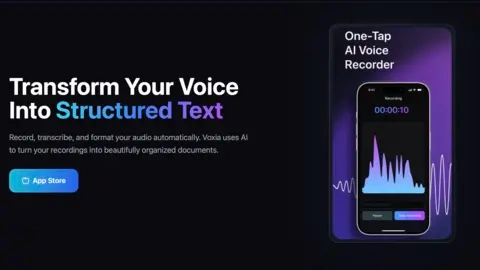
Voxia is an AI transcription app that records your audio and converts it into clean, beautifully organized documents. Instead of producing a single wall of text, it automatically structures your transcript with chapters, paragraphs, and readable formatting.
After transcription, Voxia generates concise smart summaries of your content so you can quickly capture key points. It also helps keep multi-part conversations easier to follow with clear organization across the transcript.
Your workflow is simple: record with real-time waveform visualization, let AI convert speech to text, then format and share the result. When you’re done, you can export your transcript in formats such as Word, PDF, or Markdown.
What can I do in Voxia?
Record audio, generate an AI transcription, and get a neatly formatted document with chapters/structure and a concise smart summary.
Does Voxia format transcripts automatically or do I have to edit them?
Voxia auto-formats your transcript with chapters, paragraphs, and structured layout so it’s ready to read and use.
Will Voxia generate a summary after transcription?
Yes—after the transcript is created, Voxia provides a concise smart summary of the transcribed content.
What’s the basic workflow in Voxia?
Record your audio (with real-time waveform visualization), transcribe it with AI, then format and share the resulting text.
What export formats are available for my transcript?
You can export formatted transcripts to Word, PDF, or Markdown.
Is real-time visualization available while recording?
Yes. Voxia includes real-time waveform visualization as you record your audio.