
statementedge.com
Bank Statement Converter
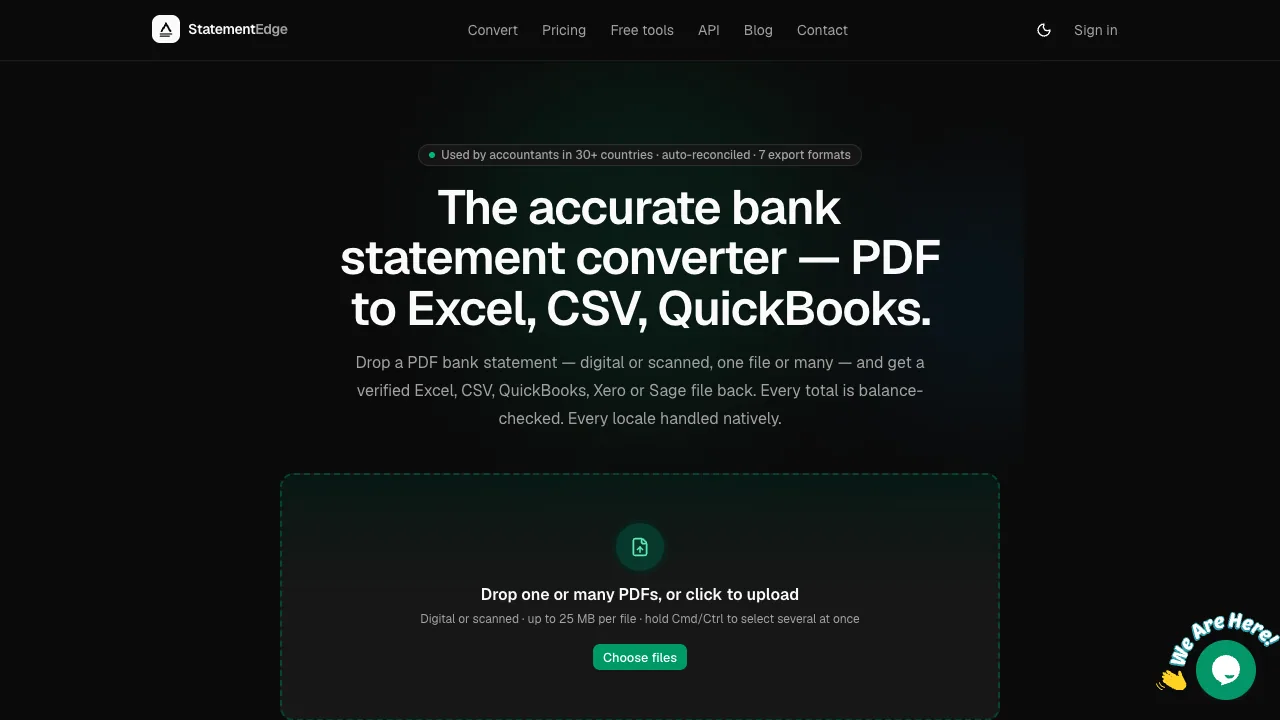
StatementEdge converts digital or scanned bank-statement PDFs into verified Excel, CSV, QuickBooks (QBO), Xero, Sage, and OFX exports with auto-reconciliation.
Listing signals
Domain rating
2
Domain rating is Ahrefs' measure of domain quality according to links.
Popularity
Medium
Page views, clicks to the site and upvotes in the last 30 days, ranked against every live listing.
What is statementedge.com?
StatementEdge is a bank statement converter that turns digital or scanned PDFs into verified, import-ready accounting files for accountants, bookkeepers, and lending teams.
What StatementEdge does
Upload one bank statement PDF—or many at once—and get a verified output in your accounting workflow. StatementEdge converts digital or scanned statement PDFs into export formats including CSV, Excel (.xlsx), QuickBooks (QBO .qbo), Xero CSV, Sage 50 CSV, and OFX/QFX.
Vision-native, template-free extraction
StatementEdge is designed to work without per-bank templates. It uses vision-native (OCR-friendly) extraction so it can handle many statement layouts, including scanned documents, without requiring you to set up a bank-specific template pipeline.
Locale-aware numbers and dates
Conversions handle common regional and formatting differences natively, including:
- Money-In / Money-Out columns
- Comma vs period decimals (e.g., 1,23 vs 1.23)
- Date formats such as DD/MM vs MM/DD
- Dr/Cr suffix notation
- Regional number formats
- Multi-currency sections
Auto-reconciliation before import
Each converted statement is auto-reconciled by checking the accounting math: opening balance plus transactions equals the closing balance. Rows that are genuinely uncertain are flagged for review.
Bulk conversion and EU data handling
You can upload a single file or bulk-select multiple PDFs (hold Cmd/Ctrl). Uploads support up to 25 MB per file. Processing is hosted in the EU (Frankfurt) with encryption in transit and at rest. Source PDFs are auto-deleted after conversion, while extracted data remains tied to your account.
Export formats you can use
StatementEdge supports seven export formats:
- CSV
- Excel (.xlsx)
- QuickBooks (.qbo)
- Xero CSV
- Sage 50 CSV
- OFX / QFX
- A generic export mode intended to fit common import needs
Pricing and free plan
StatementEdge is free for occasional use with no signup or credit card.
- Free: €0 forever — 7 pages/day, all export formats, auto-reconciliation, EU data residency, auto-delete, and REST API + MCP server within the same page allowance.
- Starter: €19/month — 500 pages/month (unused pages roll forward up to 3 months).
- Pro: €49/month — 2,500 pages/month (unused pages roll forward up to 3 months), bulk uploads, and faster retries on tricky pages.
- Business: €99/month — 6,000 pages/month, 3 team seats, and GDPR DPA on request.
Who StatementEdge is for
Built for people who convert statements regularly, including accountants and bookkeepers, mortgage and lending teams, and developers/fintech teams using the REST API.
statementedge.com FAQ
What statement types can I convert in StatementEdge?
StatementEdge converts digital or scanned PDF bank statements and credit-card statements. You can upload one file or multiple files at once for conversion.
Which export formats are available after conversion?
StatementEdge exports to CSV, Excel (.xlsx), QuickBooks (QBO .qbo), Xero CSV, Sage 50 CSV, and OFX/QFX.
Does StatementEdge support different number and date formats?
Yes. StatementEdge handles locale-specific details like comma vs period decimals, date orders (DD/MM vs MM/DD), Money-In/Money-Out columns, Dr/Cr suffix notation, and multi-currency sections without configuration.
How does StatementEdge verify accuracy before I import the results?
StatementEdge auto-reconciles each converted statement by checking that opening balance plus transactions equals the closing balance. Only genuinely uncertain rows are flagged for review.
Are uploaded PDF files kept after conversion?
No. StatementEdge purges source PDFs after conversion. Extracted data remains tied to your account.
Does StatementEdge require templates for each bank layout?
No. StatementEdge uses vision-native, template-free extraction so it can process many statement layouts (including scans) without per-bank templates that can go stale.
Is StatementEdge free?
StatementEdge has a free plan: €0 forever with no signup or credit card. The free plan includes 7 pages/day and all export formats, with EU hosting, auto-delete uploads, and auto-reconciliation.
How do I log in to StatementEdge?
Log in using the StatementEdge sign-in page at https://www.statementedge.com/auth/sign-in.