probatchresizer.com
Batch Image Resizer
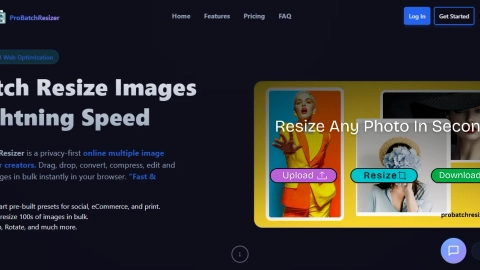
ProBatchResizer batch-resizes and converts up to 1000 images in your browser with 130+ presets and privacy-first processing.
Listing signals
Domain rating
17
Domain rating is Ahrefs' measure of domain quality according to links.
Popularity
Low
Page views, clicks to the site and upvotes in the last 30 days, ranked against every live listing.
Built withWordpress
Wordpress makes it easy to build tools.
About tool
ProBatchResizer is a privacy-first browser tool for batch resizing and converting images. Drag and drop files to resize hundreds or thousands at once, then export the results in formats like JPG, PNG, and WEBP.
Choose from 130+ smart presets tailored for social media, eCommerce, print, ads, and web/UI sizes—or enter custom dimensions in pixels, centimeters, millimeters, inches, or percentages. You can also pick an adjustment mode (Fill, Fit, Stretch, or None) and control output quality.
Processing happens locally on your device using WebAssembly, so your images aren’t uploaded to a server. Export a single file or download the batch as a ZIP, with options like background color for cases where transparency is lost.
Is ProBatchResizer really free to use?
Yes—ProBatchResizer is free to use and requires no credit card.
Are my images uploaded to a server?
No. Images never leave your browser; resizing and conversion run locally on your device.
What image formats can I export?
You can convert and export in JPG, PNG, and WEBP.
Does ProBatchResizer keep transparency when resizing?
PNG transparency is preserved when possible. If transparency is lost for the chosen output, you can set a background color for JPG/Fill.
How many images can I resize at once?
You can upload and process up to 1000 images per batch.
Do I need to install software or create an account?
No installation or account is required—use the browser-based tool directly.