
GetBootstrap.com
Bootstrap Theme Directory
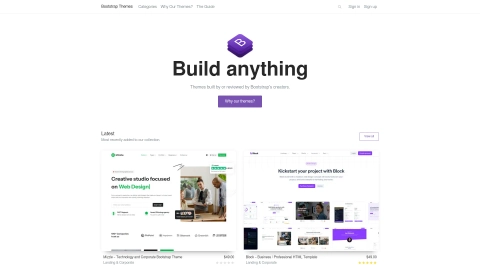
Discover a diverse range of Bootstrap themes at GetBootstrap.com's directory. Unleash the potential of your projects with meticulously crafted templates for various purposes including admin, dashboard, e-commerce, and more.
This tool is no longer approved.
Yo.directory no longer lists GetBootstrap.com as an active tool. It may have shut down, been acquired, or otherwise become unavailable.
Listing signals
Domain rating
91
Domain rating is Ahrefs' measure of domain quality according to links.
Built withWordpress
Wordpress makes it easy to build tools.
About tool
What is GetBootstrap.com?
GetBootstrap.com serves as the official website for Bootstrap, the most popular HTML, CSS, and JS library globally. Bootstrap is a robust frontend toolkit for building fast and responsive sites. It offers features like Sass customization, prebuilt grid systems, and JavaScript plugins to bring projects to life. You can access Bootstrap through CDN, package managers, or by downloading the source code. Extensive documentation is provided to aid effective framework usage.
What are some popular websites built with Bootstrap?
Several well-known websites are built using Bootstrap, including Apple Maps Connect, Forbes India, Fox News, Reuters, Made Together, Hyde + Hyde Cozar Plaza, Classic Film Festival 1Bite2Go XO Festival, and various others across different industries. These examples highlight Bootstrap's versatility and effectiveness in creating visually appealing websites.
What are some alternatives to Bootstrap?
Alternatives to Bootstrap include Tailwind CSS, Bulma, Materialize, Foundation by Zurb, Pure CSS, Element, Skeleton, Metro UI, Powertocss, and Semantic UI. Each framework offers unique features and strengths, catering to different development needs and preferences.
What are the advantages of using Bootstrap?
Bootstrap provides several advantages for web development:
- Responsive Design: Easily adapts to different devices.
- User-Friendly: Simple to use with basic HTML and CSS knowledge.
- Time and Cost Efficiency: Saves time with predefined templates.
- Cross-Browser Compatibility: Works well across modern browsers.
- Extensive Documentation: Comprehensive resources for effective usage.
- Customization: Offers flexibility in personalizing website appearance.
- Open Source: Cost-effective solution for designers.
What are the disadvantages of using Bootstrap?
Despite its benefits, Bootstrap has some drawbacks:
- Dependence on Pre-designed Components: Can limit creativity.
- File Size: Large files may slow down website performance.
- Limited Customization: Deviations from default designs may require extensive modification.
- Learning Curve: Requires time to understand and utilize effectively.
- Bloated Code: Unused code can add complexity to projects.