
bulkpictools.com
Bulk Image Processing Tools
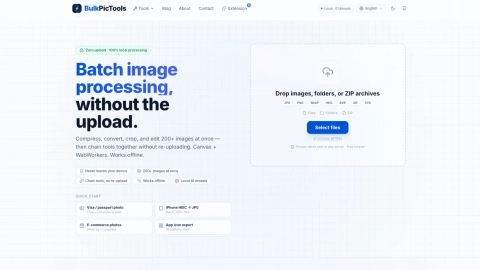
BulkPicTools lets you batch compress, convert, crop, resize, and edit 200+ images locally with tool chaining—no uploads and free forever.
Listing signals
Domain rating
2
Domain rating is Ahrefs' measure of domain quality according to links.
Popularity
Medium
Page views, clicks to the site and upvotes in the last 30 days, ranked against every live listing.
About tool
BulkPicTools is a browser-based bulk image processing suite built for privacy-first batch workflows. It processes files directly on your device (local processing) so your photos never need to be sent to a server. With tool chaining, you can run multiple steps in one session—like compress → convert → crop—without re-uploading between steps.
Work with large batches (200+ images) by dropping in files, folders, or ZIP archives. The suite supports formats such as JPG, PNG, WebP, HEIC, AVIF, GIF, and SVG, and includes common batch actions like compression, format conversion, cropping, resizing, and additional editing tools.
Some AI features (such as background removal, face blur, upscaling, and watermark removal) run locally as well, using browser-based model execution rather than a cloud API. After the first load, it can keep working offline, so you can continue processing even without an internet connection.
Does BulkPicTools upload my photos to a server?
No—processing runs locally in your browser, and your images aren’t sent to any server.
Can I chain multiple image tools in a single workflow without re-uploading?
Yes. You can run one tool and pass its results directly into the next step (for example, compress → convert → crop) within the same session.
How many images can I process at once?
BulkPicTools supports batching 200+ images locally. You can also process entire folders or ZIP archives.
Which image formats are supported for bulk processing?
You can process common formats including JPG, PNG, WebP, HEIC, AVIF, GIF, and SVG.
Does it work offline?
Yes—after the first load, you can keep working offline for local processing.
Are the AI features handled in the cloud?
No. Local AI models run in your browser (on your CPU/GPU), without a cloud API and without sending your images elsewhere.