
CTAExamples.com
Call to Action Examples Library
Discover 100+ conversion-focused CTA phrases by category so you can quickly write clearer, more effective button and section copy for any funnel step.
Listing signals
Domain rating
31
Domain rating is Ahrefs' measure of domain quality according to links.
Popularity
Low
Page views, clicks to the site and upvotes in the last 30 days, ranked against every live listing.
About tool
CTAExamples.com is a call-to-action examples library designed to help you write stronger, conversion-focused button text and CTA sections for nearly any marketing goal.
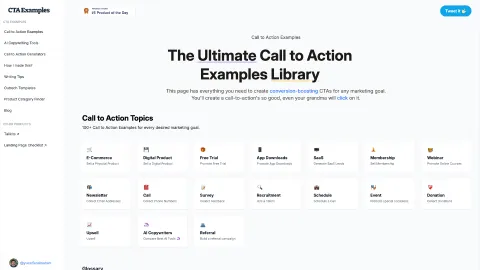
Browse 100+ ready-to-use CTA phrases across categories such as E-Commerce, Digital Product, Free Trial, App Downloads, SaaS, Membership, Webinar, Newsletter, Survey, Recruitment, Schedule, Donation, Upsell, and Referral. Each collection gives you multiple options you can adapt to match different offers and funnel stages—from buying and checkout to signing up, booking a demo, registering for events, and more.
Use it as a practical reference when you’re rewriting CTA copy, creating landing pages, or standardizing messaging. Start by choosing the category and then pick wording that matches the next step your visitor should take (purchase, lead capture, trial, demo, registration, donation, or referral).
What kinds of call-to-action examples are included?
You’ll find CTA phrases across many common marketing categories, including E-Commerce, Digital Product, Free Trial, App Downloads, SaaS, Membership, Webinar, Newsletter, Survey, Recruitment, Schedule, Donation, Upsell, and Referral.
How do I choose the right CTA phrase from the library?
Match the CTA text to the next step in your funnel on that page—like “Add to Cart” for shopping, “Start Free Trial” for trials, or “Book a Demo” for scheduling. Then adapt any placeholders (like product or offer names) to fit your context.
Can I use these phrases for both CTA buttons and CTA sections?
Yes. The examples are intended for use in CTA buttons and CTA sections across landing pages, including signup, demo, and email-capture areas.
Do the collections include ready-to-copy CTA text like “Buy Now” and “Register for the Webinar”?
Yes. The library provides copy options such as “Buy Now,” “Add to Cart,” “Start Free Trial,” “Register for the Webinar,” and many more CTA variations you can repurpose.
Where should I place CTA buttons on my website?
A good starting point is wherever you guide visitors to take action—product pages, checkout-related pages, signup/trial pages, demo or scheduling pages, and newsletter capture sections.
How many CTA buttons should I have on a page?
The number depends on your page layout and goal. If you’re focused on a single primary action, keep the CTA set tight and consistent with that one next step.