
EnhancerPhoto
EnhancerPhoto
EnhancerPhoto is an online AI photo enhancer that improves clarity and upscales photos up to 2× with scene-based results.
Listing signals
Popularity
High
Page views, clicks to the site and upvotes in the last 30 days, ranked against every live listing.
What is EnhancerPhoto?
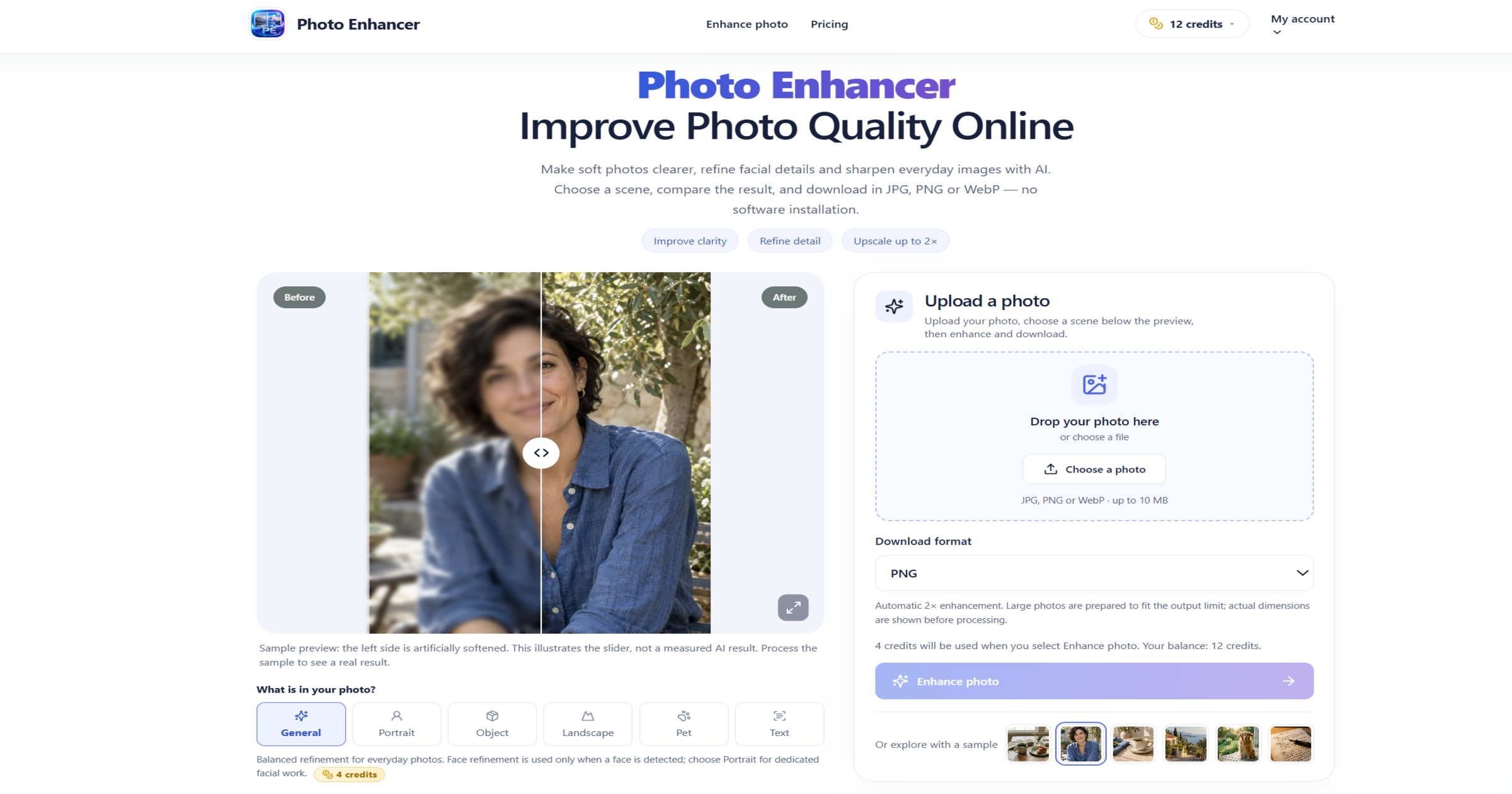
EnhancerPhoto helps you enhance photo quality online by improving overall clarity in soft everyday images and preparing a supported 2× output for download. Choose a scene—General, Portrait, Object, Landscape, Pet, or Text—to guide the enhancement, then inspect the actual result with a comparison view before exporting.
For portraits, face refinement is applied only when a face is detected; use Portrait for dedicated facial enhancement. The tool lets you refine detail for objects, scenery, pets, and readable text, and it shows the credit cost, your remaining allowance, and the actual dimensions used for processing before you start.
Download your enhanced image as JPG, PNG, or WebP. Uploaded images are kept temporarily for processing; guest results expire after one day, while signed-in results expire after seven days, giving you control over what to keep and what to delete.
EnhancerPhoto FAQ
What kinds of photos is EnhancerPhoto best for?
It works well for soft everyday photos where fine detail is still present—such as portraits, product shots, landscapes, pet photos, and images with readable text. Severe blur or missing detail may not be reliably recovered, so comparing the result to your original is key.
What does “2× enhancement” mean?
Enhancement automatically prepares a supported 2× output by doubling the width and height (creating 4× as many pixels). Large inputs may be resized to fit the output limit, and the tool shows the actual processing dimensions before you run it.
Which scene should I choose?
Use General for balanced everyday clarity. Choose Portrait for facial refinement, Object for product-focused detail, Landscape for scenery, Pet for fur/eye-focused enhancement, and Text for sharpening handwriting, printed signs, and document-like text while protecting characters.
Can I download the result in different formats?
Yes. You can export in JPG, PNG, or WebP. Changing the download format doesn’t rerun enhancement—your chosen edit is exported in the selected format.
Does it keep my uploaded photos?
Your uploads are kept temporarily for processing within your session/account. Guest results expire after one day and signed-in results expire after seven days, so you can delete completed results when you no longer need them.
Is the enhanced result guaranteed to match the original exactly?
No. AI enhancement can change fine details, especially in faces and textures. Use the comparison divider to review areas you care about (eyes, lettering, seams, texture) before downloading.