MarkdownToWord
MarkdownToWord
Convert Markdown to DOCX instantly online, preserving GFM tables, LaTeX math, Mermaid diagrams, images, and syntax-highlighted code blocks.
Listing signals
Popularity
Low
Page views, clicks to the site and upvotes in the last 30 days, ranked against every live listing.
About tool
MarkdownToWord is a free online Markdown-to-Word converter that turns .md or .markdown content into a downloadable .docx document in seconds. It supports full GitHub Flavored Markdown (GFM) so your formatting carries over accurately instead of becoming plain text.
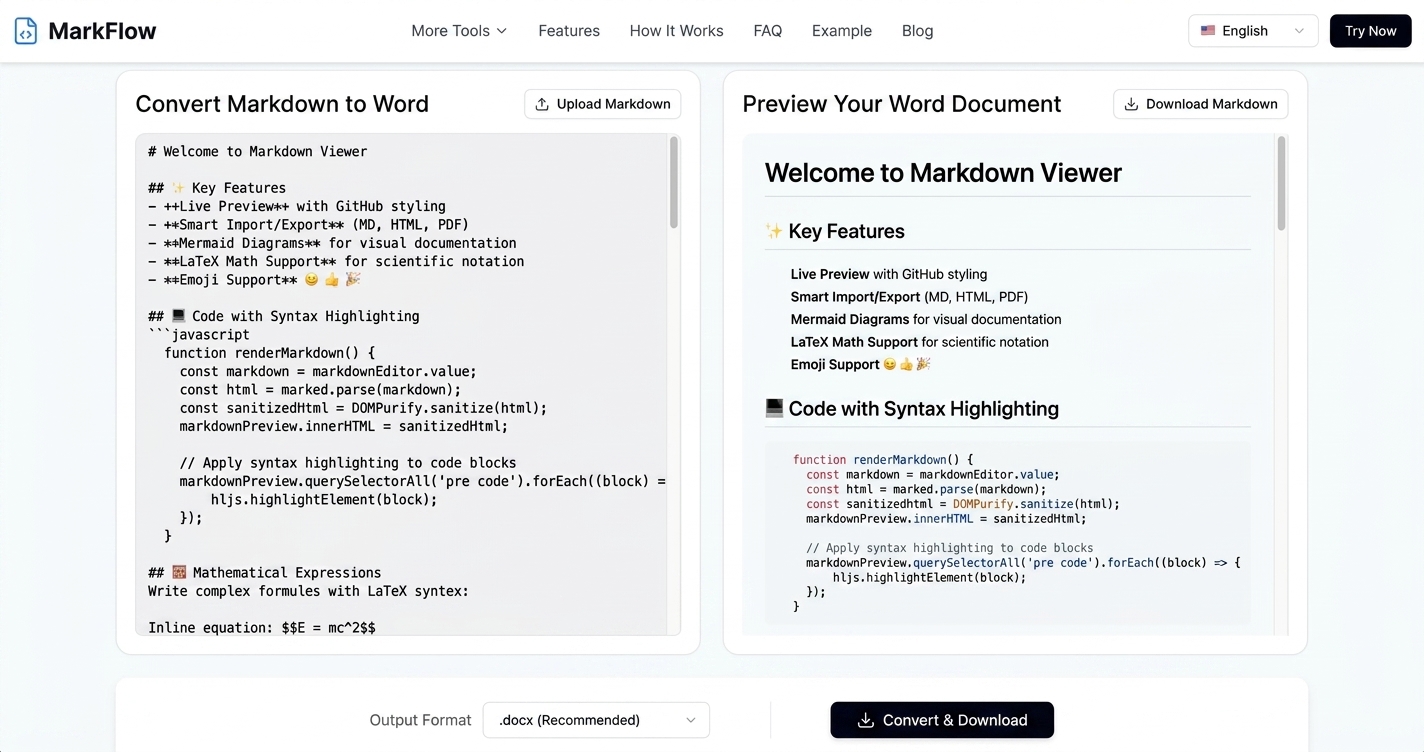
Your converted Word file preserves key Markdown elements, including tables, LaTeX math equations, Mermaid diagrams, images, and syntax-highlighted code blocks. A real-time preview updates as you type or paste content, so you can confirm how tables, math, diagrams, and code will appear before downloading.
The workflow is simple: paste or upload your Markdown (up to 10MB), preview the Word output, then convert and download the .docx. Your files are used only for conversion and deleted immediately afterward.
How do I convert Markdown to a Word document (.docx)?
Paste your Markdown or upload a .md/.markdown file, check the live preview, then click Convert & Download to save the resulting .docx.
What Markdown features are preserved in the .docx output?
GFM formatting like headings and lists, plus tables, LaTeX math, Mermaid diagrams, images, and syntax-highlighted code blocks are preserved in the Word document.
Can I preview the Word document before downloading it?
Yes—use the real-time preview panel to see how tables, math, diagrams, and code blocks will look in the final .docx before you download.
Are my Markdown files stored after conversion?
No. Your Markdown is converted over an encrypted connection and deleted immediately after your download is ready.
What is the maximum file size I can convert?
You can convert .md or .markdown files up to 10MB.
Will the converted .docx work in Microsoft Word and other editors?
Yes. The downloaded .docx is compatible with Microsoft Word, Google Docs, and LibreOffice.