PhotoToText.ai Photo to Text Converter
PhotoToText.ai Photo to Text Converter
Free online OCR that extracts copyable text from screenshots, photos, and PDF scans in seconds.
Listing signals
Popularity
Low
Page views, clicks to the site and upvotes in the last 30 days, ranked against every live listing.
About tool
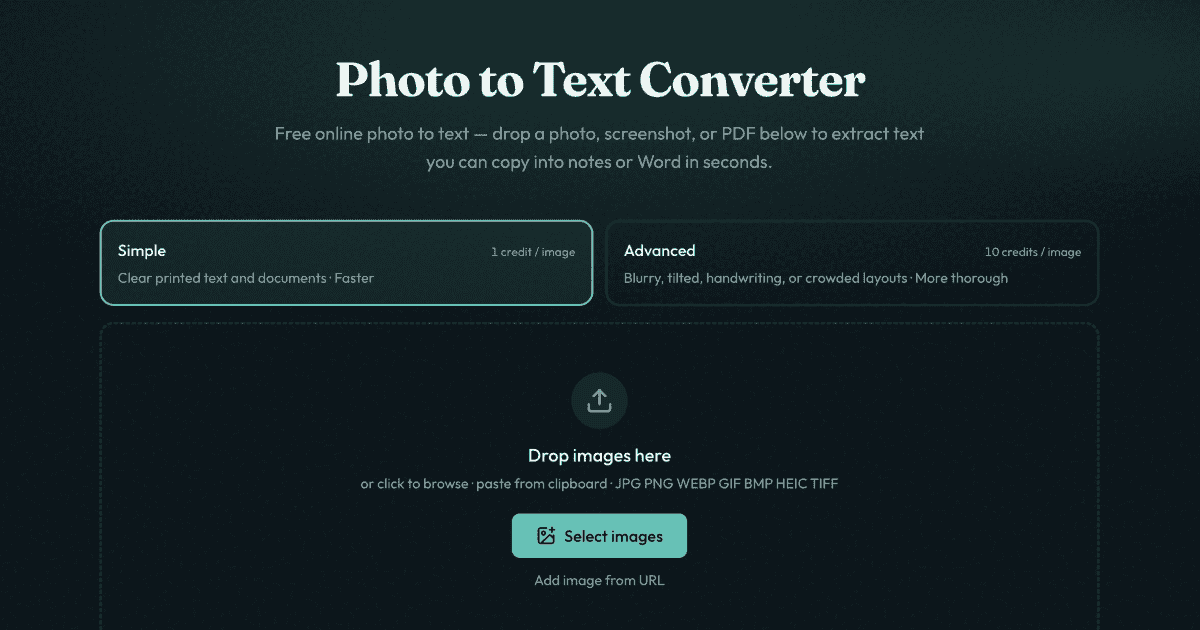
PhotoToText.ai Photo to Text Converter turns images and PDF scans into editable, copyable text without retyping. Drop in a photo, screenshot, or PDF page, run OCR, then copy the result into notes, Word, or other tools—or download it in formats like DOCX, Markdown, or TXT.
Choose Simple for clear printed text and fast results, or Advanced for tougher inputs such as blurry photos, tilted pages, handwriting, crowded layouts, and table-like content. For table extraction, use the dedicated image-to-Excel flow to pull rows and columns into an editable spreadsheet and download it as XLSX, CSV, or TSV.
Supported inputs include JPG, PNG, WEBP, GIF, BMP, HEIC, TIFF, and PDF. You can start converting online without signing up; sign in only if you want results history you can manage, or if you need credits for higher-volume use.
Is PhotoToText.ai Photo to Text Converter free to use?
Yes—it's free to start without signing up. Credits and plans are available for more volume and for using Advanced mode when you need it.
What file types can I upload to extract text?
You can upload JPG, PNG, WEBP, GIF, BMP, HEIC, TIFF, and PDF files, including screenshots and scanned documents.
When should I use Simple OCR vs Advanced OCR?
Use Simple for clear printed text and easy-to-read screenshots. Choose Advanced for harder inputs like blurry images, tilted pages, handwriting, crowded layouts, or table images headed for spreadsheet work.
Can I copy the extracted text into Word or download it?
Yes. After OCR completes, you can copy the extracted text (including formatting) or download it as DOCX, Markdown, or TXT. You can also use the dedicated JPG to Word converter for a full .docx output.
Can this convert a photo of a table into Excel?
Yes. Use the JPG to Excel converter for receipts, screenshot grids, and scanned paper tables—extract the layout with Advanced OCR, edit cells, and download as XLSX, CSV, or TSV.
Do I need an account to extract text from images?
No sign-up is required to start converting online. Sign in only if you want results history you can delete, or if you plan to buy credits.