
SkipBait
SkipBait
SkipBait is a Chrome extension that delivers honest YouTube TLDRs, timestamped outlines, actionables, and web-grounded AI chat without leaving the video.
Listing signals
Domain rating
18
Domain rating is Ahrefs' measure of domain quality according to links.
Popularity
Low
Page views, clicks to the site and upvotes in the last 30 days, ranked against every live listing.
About tool
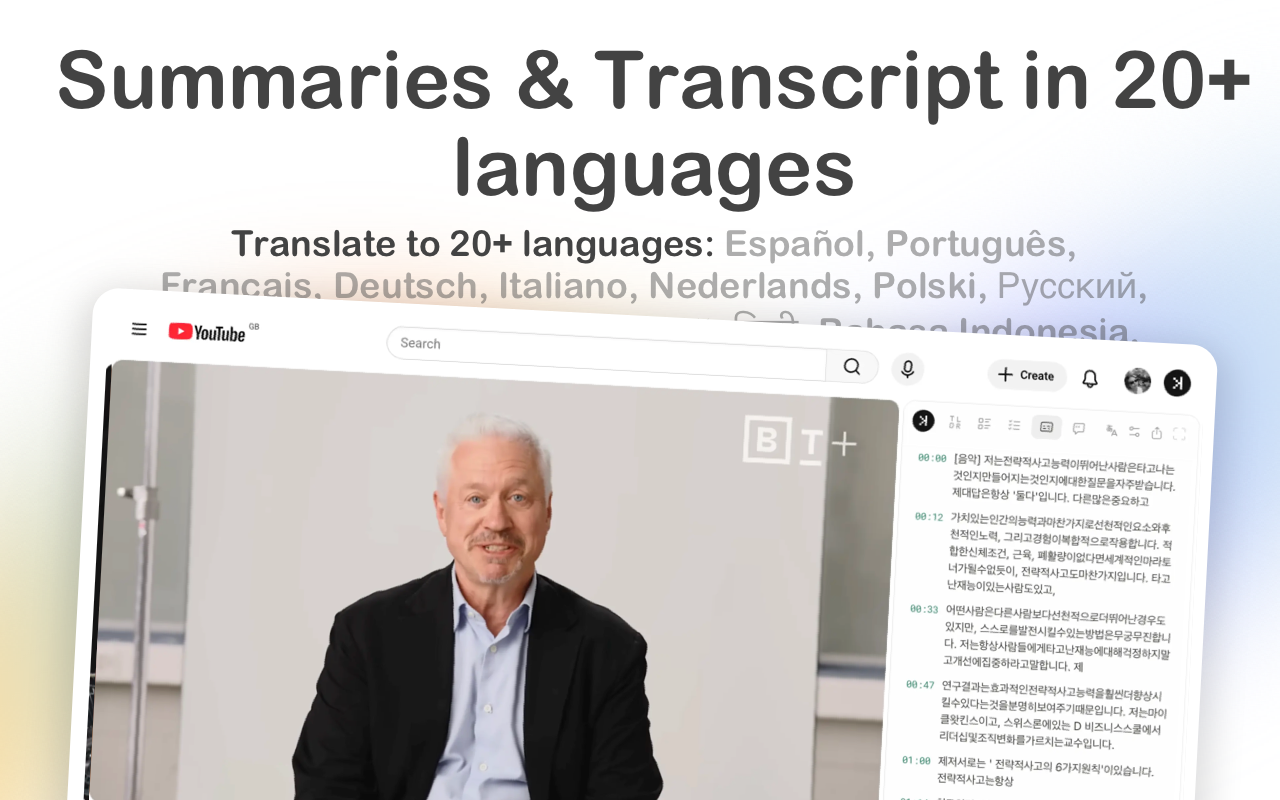
SkipBait adds AI summaries and transcripts directly to YouTube so you can understand videos faster while still following along. After installing the Chrome extension, open any YouTube watch page to get an honest title and a 1-sentence TLDR, plus a topic-by-topic breakdown.
Each breakdown is timestamped with linked moments, making it easy to revisit specific parts of the video. You can also view Actionables—recommendations and to-dos tied to what was said, with a timestamp and quote.
For deeper engagement, SkipBait includes AI Chat in the side panel. Ask follow-ups and get web-grounded answers that combine the video’s content with live web search, not just transcript lookup. Transcripts are available in 20+ languages, and chat supports 50+ languages, with translation options for easier review.
What do I get when I summarize a YouTube video in SkipBait?
You’ll get an honest title, a 1-sentence TLDR, a timestamped topic-by-topic breakdown, and actionable takeaways tied to a timestamp and quote.
How does SkipBait’s AI Chat answer questions?
AI Chat uses both the video content and live web search to generate grounded responses, so it’s not limited to searching the transcript alone.
Can I translate transcripts or chat into other languages?
Yes. Transcripts can be translated to 20+ languages, and chat supports 50+ languages—ask in your preferred language.
Which browsers support SkipBait?
SkipBait works on Chromium-based browsers via the Chrome Web Store, including Chrome, Brave, Edge, Arc, Opera, and Vivaldi. Firefox and Safari aren’t supported.
Does SkipBait work with long YouTube videos?
It works for long videos as long as usable transcript data is available. Videos without transcripts may not be supported.
How do I start using SkipBait?
Install the Chrome extension, then visit any YouTube video page. Start by generating a summary or open the side panel to view transcripts and chat.