SkyboxKit
SkyboxKit
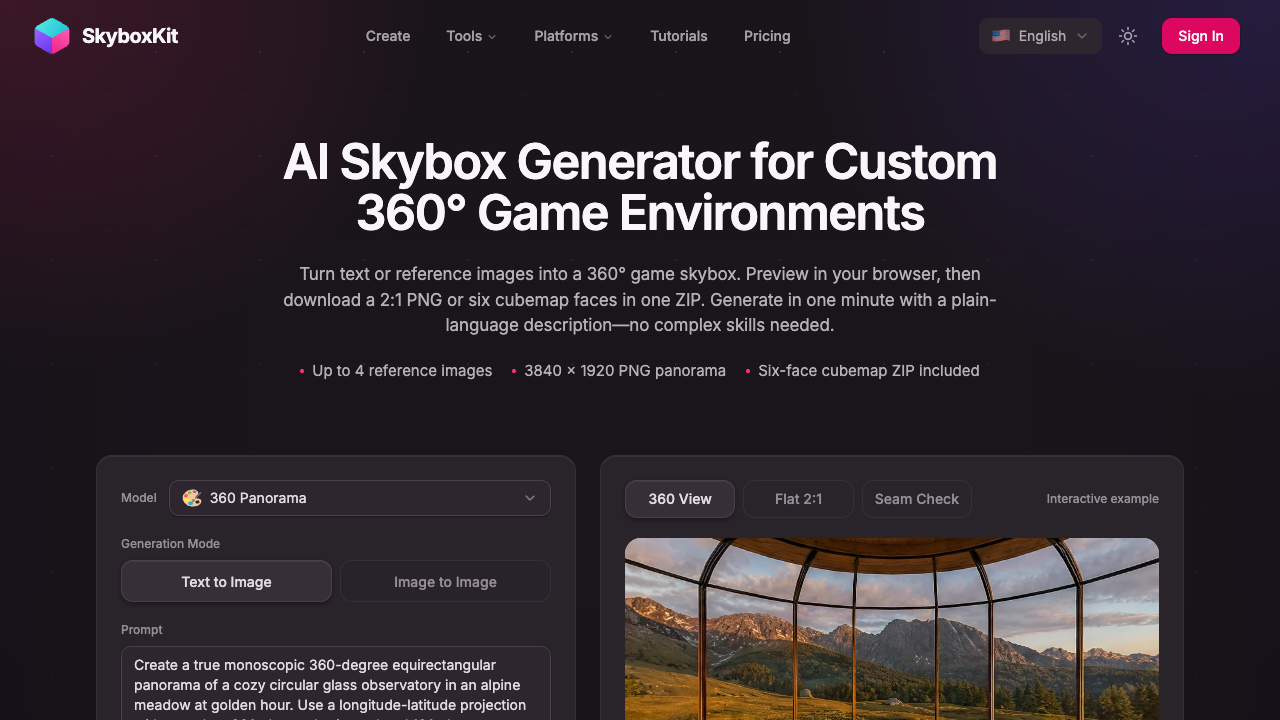
SkyboxKit turns text or up to four reference images into a 360° game skybox you can preview in-browser and export as a PNG panorama or cubemap ZIP.
Listing signals
Popularity
High
Page views, clicks to the site and upvotes in the last 30 days, ranked against every live listing.
What is SkyboxKit?
SkyboxKit is an AI skybox generator that creates 360° game environment backgrounds from a text prompt or up to four reference images.
Browser preview and interactive seam checking
SkyboxKit helps you generate a complete 360° panorama from your description and then inspect it immediately in an in-browser 360° viewer. The viewer includes an interactive seam check so you can look for edge mismatches and artifacts while you rotate around the scene.
Two export formats for common workflows
After previewing the result, download it in the layout your project needs:
- 2:1 PNG panorama: 3840 × 1920 for equirectangular/panorama setups.
- Six-face cubemap ZIP: six square PNG faces exported together in one ZIP.
Panorama downloads and cubemap exports are included with your generation, and exporting the six faces does not use additional credits.
What you can control with prompts and references
Create skyboxes by describing the world around your scene—placement on the horizon (mountains, a distant city, open sky), time of day, weather, and art style. If you already have a look in mind, upload up to four reference images alongside your description to guide colors, architecture, and lighting cues.
How to use it in your game or 3D scene
SkyboxKit outputs PNG environment textures for use as a background. Use them to:
- Set mood and distance for games and 3D scenes
- Give a Roblox map custom distant surroundings
- Test atmosphere around an in-progress level
- Provide a story location visual reference from every direction
Credits and generation cost
Generation uses credits, and the on-page generator shows the cost before you submit. The generator supports exploring examples and downloading a sample cubemap before generating your own skybox.
Commercial use
SkyboxKit-generated content supports personal, educational, and commercial use. You keep ownership of what you create and are responsible for ensuring inputs and outputs don’t infringe third-party rights.
SkyboxKit FAQ
Can I generate a 360° skybox from both text and images?
Yes. SkyboxKit can generate from a text prompt or from up to four reference images alongside your description to guide setting, lighting, and visual style.
What file formats can I download from SkyboxKit?
SkyboxKit provides either a 2:1 PNG panorama (3840 × 1920) or a six-face cubemap export as a single ZIP containing PNG faces.
Do cubemap exports cost extra credits on SkyboxKit?
No. Both the panorama download and the six-face cubemap export are included with your generation, and exporting the six faces does not use additional credits.
Are SkyboxKit skyboxes guaranteed seamless?
You should inspect every generated result before use. SkyboxKit’s 360° viewer and seam check help you spot mismatched edges and artifacts, but the output isn’t automatically guaranteed to be perfect.
Does SkyboxKit output 3D models or HDR lighting data?
No. SkyboxKit outputs PNG environment textures for background use. The downloads do not include a 3D mesh, collision geometry, or HDR lighting files.
Can I use SkyboxKit-generated skyboxes commercially?
Yes. SkyboxKit-generated content supports personal, educational, and commercial use. You keep ownership of what you create and are responsible for ensuring your inputs and outputs don’t infringe third-party rights.
Is SkyboxKit free?
SkyboxKit uses credit-based generation (there’s no subscription). A one-time credit pack includes credits valid for 1 month, and generation consumes credits shown at submission time.
How do I buy credits for SkyboxKit?
Use the credit packs on the pricing page: Basic ($9.99) includes 70 credits, Standard ($29.99) includes 300 credits, and Premium ($69.99) includes 800 credits. Each pack is a one-time purchase with no auto-renewal.