
Umbrel.com
Umbrel Directory for Self-Hosted Apps
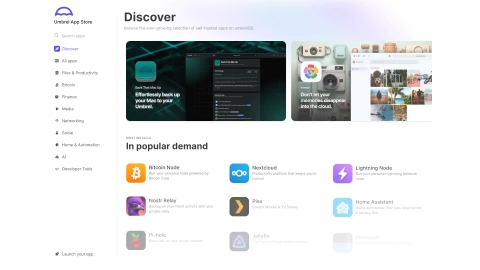
Discover and install 300+ self-hosted apps for umbrelOS from the Umbrel App Store, with categories and app details to fit your home server.
Listing signals
Domain rating
68
Domain rating is Ahrefs' measure of domain quality according to links.
Popularity
Medium
Page views, clicks to the site and upvotes in the last 30 days, ranked against every live listing.
About tool
Umbrel.com is the Umbrel App Store for finding self-hosted apps made for umbrelOS, your private home server and cloud.
Browse hundreds of options across categories like Files & Productivity, AI, Bitcoin, Media, Network, Social, Developer, Home & Automation, and Finance/Crypto. Use app listings to explore what each tool does, then compare choices using screenshots and descriptions before you install.
Once you’ve picked an app, install it directly from your umbrelOS web interface: open the App Store, select an app, click Install, and access it from your umbrel dashboard after setup.
What is Umbrel.com used for?
Umbrel.com is used to browse and install self-hosted apps designed to run on an umbrelOS home server.
How many apps are available in the Umbrel App Store?
You can discover 300+ self-hosted apps for umbrelOS.
What kinds of apps can I find for umbrelOS?
You can browse categories including Files & Productivity, AI, Bitcoin, Media, Networking, Social, Developer Tools, Home & Automation, and Finance/Crypto.
How do I install an app from the Umbrel App Store?
Open your umbrelOS web interface, go to the App Store, choose an app, click Install, then find it in your umbrel dashboard after setup.
Do I install apps one at a time?
Yes—installation is done per app from the App Store by selecting an app and using its Install option.
Can I browse apps for privacy-first and local use cases?
Yes. The store includes privacy-focused and local workflows across categories like files, media, networking, and local AI.