
scriptmind.co
Video Transcript Generator
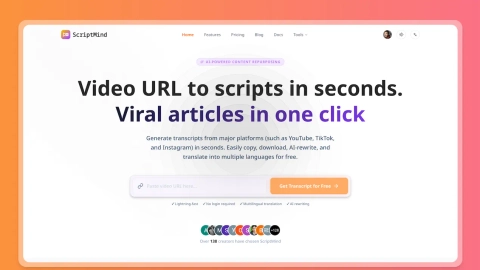
ScriptMind turns YouTube, TikTok, and Instagram video links into transcripts in seconds, with copy/export, AI rewrite, and translation tools.
Domain rating
33
Domain rating is Ahrefs' measure of domain quality according to links.
Popularity
High
The popularity on this site, based on the listing quality score and engagement signals.
About tool
ScriptMind is a free AI transcript tool that converts YouTube, TikTok, and Instagram video links into usable transcript text fast. After extraction, you can copy the transcript, export subtitle-ready content, and repurpose your notes for research, drafts, and publishing workflows.
Use it to generate clean transcripts for YouTube, structured TikTok transcript content for short-form analysis, and Instagram Reels/post transcripts for saving insights. ScriptMind is designed to help you capture hooks, structure, and reusable talking points in one place—without manually building transcripts from scratch.
Beyond transcription, ScriptMind supports AI summarization, rewriting, translation, and subtitle/content repurposing. You can also use video download workflows (like YouTube to MP4) alongside transcript extraction to reuse source assets more quickly.
Which platforms can ScriptMind extract transcripts from?
ScriptMind supports YouTube and Shorts, TikTok, and Instagram Reels/posts so you can generate YouTube Transcript, TikTok Transcript, and Instagram Transcript content from video links.
Do I need to log in or create a social media account to transcribe a video?
No. ScriptMind is available for free transcript extraction without logging in, and it doesn’t require a TikTok, YouTube, or Instagram account for basic use.
How do I turn a video link into a transcript?
Copy the TikTok, YouTube, or Instagram URL, paste it into ScriptMind, and start extraction. ScriptMind generates the appropriate transcript type in seconds, then you can copy or export the result.
Can ScriptMind rewrite and translate transcript content?
Yes. After transcript extraction, you can summarize key ideas, rewrite transcript content, and translate it into multiple languages for reuse across audiences and regions.
What can I export after generating a transcript?
You can copy transcript text and export subtitle-ready outputs. YouTube subtitle export and multi-format subtitle downloads are supported, alongside options to download related assets like thumbnails.
Why might I see a ‘Cannot extract transcript’ message?
This typically happens when the link is broken, private/restricted, or the video has no usable spoken audio. Verify the URL opens correctly and contains speech that can be transcribed.