
paperbana.com
Academic Illustration Generator
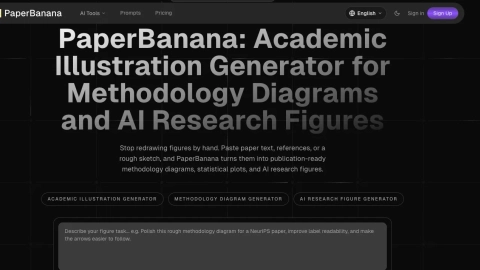
PaperBanana turns pasted paper text, references, or sketches into publication-ready methodology diagrams, statistical plots, and AI research figures.
Listing signals
Domain rating
3
Domain rating is Ahrefs' measure of domain quality according to links.
Popularity
Low
Page views, clicks to the site and upvotes in the last 30 days, ranked against every live listing.
About tool
PaperBanana is an academic illustration generator built for researchers who need clearer figures without starting from a blank canvas. Paste your method text, reference excerpts, or a rough sketch, add a caption, and generate publication-ready methodology diagrams, statistical plots, and AI research figures.
Choose from figure-focused prompts such as RAG pipeline, transformer architecture, sketch cleanup, benchmark plot, and poster panels—or use the in-app tools to go from draft to polished output. The workflow carries your source text into the selected tool, helping keep the figure tied to your actual research content.
PaperBanana also supports iteration. Review and refine outputs with an AI Figure Editor, polish draft clarity with an Image Upscaler, and use Image to Image generation or editing to work from sketches, draft diagrams, screenshots, and reference images. Generation settings like max iterations, aspect ratio, and credit-aware execution help you balance speed and cleanup for submission-ready results.
What does PaperBanana create for research papers?
It generates publication-style methodology diagrams and structured AI research figures, and it supports statistical plots and multi-panel visuals suitable for papers, posters, and slides.
Do I need to write a perfect prompt to get a good methodology diagram?
No. The workflow works best when you paste real source context (method text, notes, or reference excerpts) and include a short caption describing the figure you want.
Can I start from a sketch or an early draft figure?
Yes. You can use sketches, screenshot drafts, or draft diagrams as reference images, then generate a cleaner academic version with improved layout, labels, and diagram clarity.
How do I edit an existing diagram instead of generating from scratch?
Use the AI Figure Editor: upload a draft, describe the edit you want, and iterate toward a clearer, more publication-ready result.
Can PaperBanana improve the resolution of a low-quality draft?
Yes. Use the Image Upscaler to enhance clarity and output resolution for draft screenshots and visuals that need cleaner final exports.
Is credit usage shown before I run generation?
Yes. Credit estimates are shown up front, and unused credits are refunded if the figure converges early.