
aiavatar.how
AI Avatar Generator
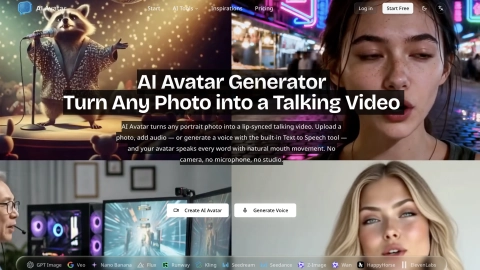
Create a lip-synced talking AI avatar from a portrait photo by uploading audio or generating a voice from a script—no camera or microphone needed.
Listing signals
Domain rating
10
Domain rating is Ahrefs' measure of domain quality according to links.
Popularity
Low
Page views, clicks to the site and upvotes in the last 30 days, ranked against every live listing.
About tool
AI Avatar (aiavatar.how) turns a single portrait into a talking avatar video with natural, lip-synced mouth movement. Upload a clear photo, add a voice (either by uploading audio or typing a script), and the tool generates the talking video without any filming.
If you don’t have an audio recording, you can type your script and use the built-in Text to Speech to generate the voice first—then the avatar delivers the speech with matching mouth shapes. You can also start from one of the ready-made character faces and pair it with your voice.
Everything runs in your browser, so there’s no install, GPU setup, or studio workflow required. Choose the output resolution, preview your result, and download your MP4.
What can I create with AI Avatar (aiavatar.how)?
You can generate a lip-synced talking video from a single portrait photo. Pair the face with audio (uploaded or generated from a script) to create a speaking avatar.
Do I need a camera or microphone to make an avatar?
No. You provide a photo, and you can generate the voice from typed text, so there’s no camera, microphone, or recording studio needed.
Can I generate the voice instead of uploading audio?
Yes. Type a script and use the built-in Text to Speech to create the voiceover, then generate the lip-synced avatar video from that audio.
What photo works best for accurate lip-sync?
Use a clear, front-facing portrait with even lighting and an unobstructed mouth. Photos with side profiles or a partially covered mouth tend to produce weaker results.
Can I use a celebrity or character face?
You can use ready-made character faces and you can upload portraits you own or are authorized to use. For recognizable real people, ensure you have the required consent and follow applicable likeness/privacy rules.
Is there a free way to try it?
Yes—free signup is available to start making avatar videos in your browser. Free output includes a watermark, while watermark-free commercial use is available on paid plans.