
zilivo.io
AI Image and Video Generator
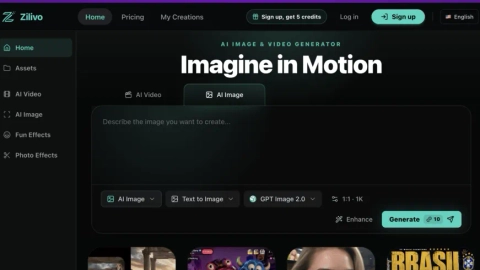
Zilivo.io is an AI image & video creation studio that uses workflow-based generation from prompts and references to produce polished visuals fast.
Listing signals
Domain rating
35
Domain rating is Ahrefs' measure of domain quality according to links.
Popularity
Low
Page views, clicks to the site and upvotes in the last 30 days, ranked against every live listing.
About tool
Zilivo.io is a single workspace for creating AI images and AI videos, with workflows that help you move from idea to refined visuals. You can start from text, an image, or a product reference, then generate photoreal images, animated stills, editable designs, and short video clips.
Choose a workflow card to match the outcome you want—such as text-to-image, image-to-video/video generation, animate images, image retouch, video retakes, or motion control. This workflow-first approach is designed to reduce the need to manage long model lists and separate tools, so you can iterate on creative direction within the same place.
You can also use uploads as references for motion and scene guidance, helping you translate a look or movement style into new shots. Zilivo is built for creators, marketers, product sellers, and studios that need fast concepting, asset variation, and quick refinement for posts, campaigns, and product visuals.
For teams focused on volume, Zilivo emphasizes workflows rather than a “model menu,” routing creation behind the scenes so you pick the result and keep refining until it fits your channel, brand, product, or story.
What can I create with Zilivo.io?
You can generate AI images and short AI videos, animate still frames into motion, and refine results using workflows like image retouch, video retakes, and motion control.
Do I need to choose from a long list of AI models to generate?
No. You select the workflow that matches the outcome you want (text-to-image, video generation, retouch, motion control), and the platform routes the job behind the scenes.
Can I start from my own image or product reference?
Yes. You can begin with an upload and use prompts to guide the output, including workflows that use references for motion and scene direction.
Can Zilivo turn an image into a video?
Yes—use prompt to video or workflows focused on generating clips and animating stills into motion.
What kinds of edits can I do after generating?
You can retouch images (change background, objects, style, lighting, or composition), regenerate moments with video retakes, and explore motion changes using reference-guided motion control.
Who is Zilivo built for?
It’s designed for solo creators, marketers & brands, ecommerce/product sellers, and agencies/studios who need fast generation, variation, and refinement of visual assets.