
editaimg.com
AI Image Editor
Editaimg is a browser-based AI image editor for promptable background replacement, cleanup, text edits, watermark removal, and 1K–4K upscaling.
Listing signals
Domain rating
36
Domain rating is Ahrefs' measure of domain quality according to links.
Popularity
Medium
Page views, clicks to the site and upvotes in the last 30 days, ranked against every live listing.
What is editaimg.com?
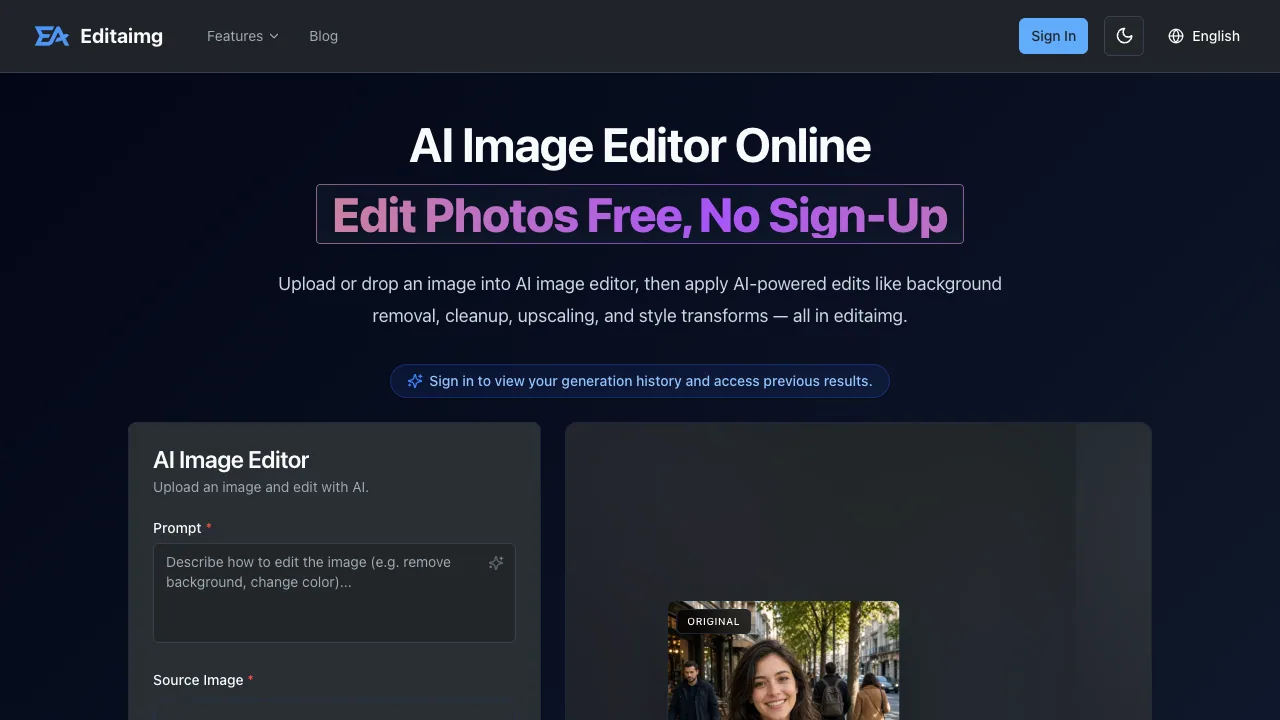
Editaimg is an online AI image editor that lets you transform JPG/PNG photos using natural-language prompts for background replacement, cleanup/inpainting, text editing, and upscaling.
Promptable edits with instant results
Upload a JPG or PNG, describe the change you want, and generate edited images with instant previews. Editaimg supports image cleanup and “AI Image Changer” style transformations where you can swap a background, style, outfit, color, or object using a plain-language prompt.
Upscale and export at specific resolutions
Use the Image Upscaler to enlarge photos while aiming to preserve sharpness, texture, and fine detail. You can export in 1K, 2K, or 4K resolutions. Resolution selection is available in the editor UI, and 2K availability can depend on the chosen aspect ratio (switching to 1:1 when needed).
Background replacement, product scenes, and “marketplace-ready” retouching
Editaimg is built around workflows like realistic product-style scene creation. For product sellers, it supports:
- Background removal and background replacement
- Jewellery Retouch for clean white-background listing images
- Edit Text on Product Image so you can change prices, sale badges, sizes, and packaging text while keeping the product and font consistent
Text & cleanup tools
For text work, the Image Text Editor lets you add, edit, or remove text while matching fonts, colors, and texture. For cleanup and portrait refinement, focused tools include Open Eyes in Photo, AI Teeth Fixer, and watch photo retouching (removing crystal glare, dust, and fingerprints while keeping the dial exactly as shot).
Watermark removal and translation
A Gemini Watermark Remover is available for clean exports in your browser. Editaimg also includes AI Image Translator, translating text in images to 130+ languages while preserving the original style and formatting.
Quick start
- Drag and drop a JPG/PNG (≤50MB each), or choose files
- Select an aspect ratio (auto, 1:1, 2:3, 3:2, 3:4, 4:3, 4:5, 5:4, 9:16, 16:9, 21:9)
- Pick resolution (1K/2K/4K) and generate your edit
- Download or share with one click
Pricing and access
Editaimg offers free, no sign-up editing for AI Image Editor features. Full access is available through one-time credit packages:
- Basic: $9.9 USD for 160 credits (no expiration, includes a priority generation queue)
- Standard: $49.9 USD crossed with $29.9 USD for 800 credits (no expiration, includes a priority generation queue)
- Pro: $249 USD crossed with $49.9 USD for 4000 credits (no expiration, includes a priority generation queue)
Sign in to view generation history and access previous results.
editaimg.com FAQ
What edits can I make with Editaimg using prompts?
Editaimg supports promptable background replacement and scene changes, object cleanup/inpainting, style/lighting transforms, and text replacement or removal. You can also change attributes like color, outfit, and objects using a plain-language prompt.
Do I need photo editing skills to use Editaimg?
No. Editaimg is designed so you can upload a photo, type what you want changed in the prompt box, and then fine-tune output settings like aspect ratio and export resolution before generating.
What image formats and file limits does Editaimg support?
Editaimg supports JPG and PNG uploads. Files can be up to 50MB each, and you can select up to 8 images at a time for editing.
Can Editaimg upscale images to higher resolution?
Yes. The Image Upscaler enlarges photos and lets you export at 1K, 2K, or 4K resolutions while aiming to preserve sharpness, texture, and fine detail.
Can Editaimg edit text inside an image?
Yes. The Image Text Editor lets you add, edit, or remove text while matching fonts, colors, and texture for a more natural result.
How does the Gemini Watermark Remover work in Editaimg?
Editaimg includes a Gemini Watermark Remover that removes the visible Gemini watermark in-browser so you can export clean results.
Is Editaimg free?
Yes. Editaimg provides AI image editing free with no sign-up. Credit packages are available for full access, including Basic ($9.9 one-time), Standard ($29.9 one-time), and Pro ($49.9 one-time).
How do I log in to Editaimg?
Use the sign-in page at https://editaimg.com/auth/signin?callbackUrl=%2F to access generation history and previous results after you’ve edited images.
What are some alternatives to editaimg.com?
Similar listings to compare with editaimg.com:
- imaginepro.ai: ImaginePro is a text-to-image AI web app and unified API for creating lifelike 4K visuals, plus background removal and “text behind image” effects.
- pixmagic.app: Create Amazon- and Shopify-ready product visuals in your browser with one-click cutouts, 4K upscaling, prompt-based edits, image-to-video, and MP3 voiceovers.
- gptimage2.art: GPT Image 2 is an in-browser AI image generator and editor that creates, edits, and upscales images up to 2K—no login or watermarks.
- RemoveText: RemoveText removes unwanted text from images and reconstructs the background for a natural-looking, watermark-free result on paid plans.