
InvoiceG
InvoiceG
InvoiceG is a free, no-signup invoice generator that creates clean PDF invoices in seconds and lets you share them via a link.
Listing signals
Domain rating
5
Domain rating is Ahrefs' measure of domain quality according to links.
Popularity
Medium
Page views, clicks to the site and upvotes in the last 30 days, ranked against every live listing.
What is InvoiceG?
InvoiceG is a free invoice generator that helps freelancers and small teams create invoices with instant PDF download and link sharing.
Create invoices without signup
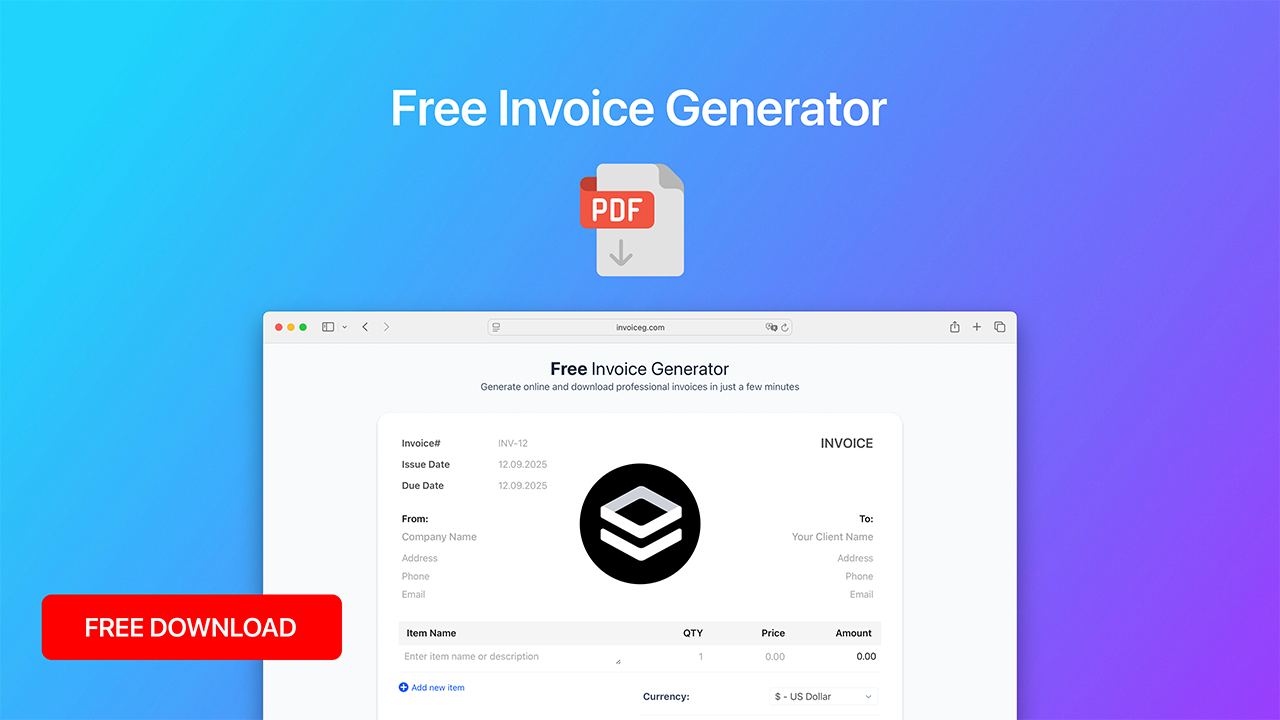
InvoiceG lets you build an invoice in seconds using a straightforward editor. You start by filling in key invoice fields such as invoice number, issue date, and due date, plus the “Bill From” and “To” contact details.
Add line items and calculate totals
You can add multiple items with item name, quantity, price, and amount. Subtotals update as you enter line items, and you can include optional discount and tax entries to match your billing needs. A preview of the invoice is available while you work, so you can confirm the layout and values before exporting.
Choose a currency and generate a PDF
InvoiceG includes a currency selector with many options, including $ US Dollar, CA$ Canadian Dollar, € Euro, £ British Pound Sterling, and many additional currencies. After you enter your invoice details and line items, you can generate a downloadable PDF.
Send invoices via a share link
Once your invoice is ready, InvoiceG provides a way to send it using a link. This makes it easy to share your invoice with clients without attaching a file.
What you can do with InvoiceG
- Create an invoice with invoice number, issue date, due date, and bill-to/bill-from details
- Add line items with quantity, price, and calculated amounts
- Apply optional discount and tax sections
- Select from a wide list of currencies
- Preview, generate a PDF for download, and share via a link
InvoiceG is designed for freelancers and small teams who want a fast, no-signup way to produce professional-looking invoice PDFs.
InvoiceG FAQ
Do I need to sign up to create invoices on InvoiceG?
No. InvoiceG lets you create an invoice and generate or download the PDF without signing up.
Can I download my invoice as a PDF on InvoiceG?
Yes. After you preview your invoice, you can generate a PDF and download it.
How do I share an invoice after it’s created on InvoiceG?
InvoiceG provides a share link after your invoice is generated, so you can send the invoice to your client via the link.
Does InvoiceG calculate totals automatically?
Yes. InvoiceG calculates the subtotal from your line items and supports optional discount and tax entries before showing the total.
Does InvoiceG support multiple currencies?
Yes. InvoiceG includes a long list of currencies to choose from when building your invoice (for example, US Dollar, Canadian Dollar, and Euro).
Can I start from an invoice template on InvoiceG?
Yes. InvoiceG includes an invoice templates area so you can begin with a template layout.