
klingaimotioncontrol.com
AI Motion Control Video Generator
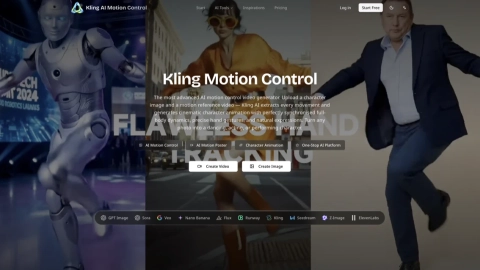
Kling AI Motion Control turns a character image plus a reference motion video into cinematic, synchronized character animation.
Listing signals
Domain rating
31
Domain rating is Ahrefs' measure of domain quality according to links.
Popularity
High
Page views, clicks to the site and upvotes in the last 30 days, ranked against every live listing.
About tool
Kling AI Motion Control is an AI-powered motion transfer tool that generates cinematic character animation from two inputs: a reference image (the character, background elements, and more) and a reference video (the actions to copy). Upload a character image and a motion reference video, and Kling transfers the movement frame by frame for full-body synchronised dynamics.
Choose between Image orientation and Video orientation depending on your shot. Image orientation preserves your character’s aspect ratio with 3–10 second outputs and supports camera controls via prompts (Zoom In/Out, Camera Up/Down, or Fixed Position). Video orientation matches the reference video framing and supports 3–30 second continuous sequences—ideal for complete performances.
Use optional text prompts (up to 2,500 characters) to guide scene details like background elements, clothing, and lighting while motion comes from the reference video. Kling AI can also generate dynamic AI motion posters by adding subtle movements such as breathing, blinking, and gentle gestures to static images.
What inputs do I need for Kling AI Motion Control?
You need a reference image (JPG/PNG up to 10MB) and a reference motion video (MP4/MOV up to 50MB, 3–30 seconds, single continuous shot). The character actions in the generated video follow the reference video.
What’s the difference between Image orientation and Video orientation?
Image orientation preserves your reference image’s aspect ratio and supports 3–10 second output with camera controls. Video orientation matches the reference video framing and supports 3–30 second continuous output for full performance sequences.
How long can a generated motion-control video be?
In Video orientation mode, outputs can be up to 30 seconds in a single pass. In Image orientation mode, outputs are 3–10 seconds.
Can I control the scene, clothing, or lighting?
Yes—add an optional text prompt (up to 2,500 characters) to influence background elements, clothing, and lighting. Motion is still driven by your reference video.
What video resolutions are supported?
You can generate in 720p (Standard) or 1080p (Professional). Both are designed to maintain character identity consistency throughout the clip.
Do I need motion-capture equipment to use Kling AI Motion Control?
No. Upload a character image and a reference video from any source (for example, a smartphone recording or screen capture), and Kling handles the motion extraction and mapping in the generation process.