beatviz.ai
AI Music Video Generator
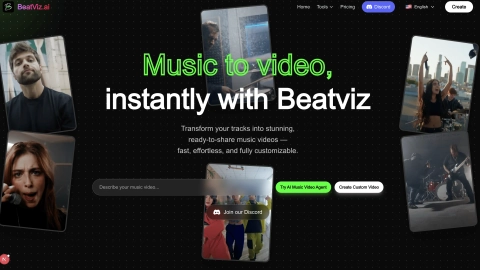
BeatViz turns your music into cinematic, beat-synced music videos with chat-guided scene planning and an optional timeline editor for fine control.
Listing signals
Domain rating
34
Domain rating is Ahrefs' measure of domain quality according to links.
Popularity
Medium
Page views, clicks to the site and upvotes in the last 30 days, ranked against every live listing.
About tool
BeatViz is an AI music video generator that transforms your music and creative direction into cinematic, beat-synchronized visuals. It analyzes your track for rhythm and BPM, then translates your prompts into scenes, shots, and edits designed to match the pacing and emotional arc of your song.
Create fast with Chat Mode: upload your music, describe the style and concept, and generate a complete beat-synced video automatically. When you want more precision, the Custom Editing Studio combines AI generation with a professional timeline editor, letting you refine scenes, sequence order, and details.
BeatViz also supports audio-free creation. In text-to-sound mode, an AI agent can generate original background music (and, when prompted, dialogue) from your vision, then assemble visuals around it. You can further guide outcomes with style presets, character-consistency controls, reference image guidance, lip-sync support, and segment-based scene editing.
What does BeatViz generate?
BeatViz generates beat-synced music videos—cinematic scenes and shot edits aligned to your soundtrack’s rhythm and key moments.
Can I make a music video without uploading audio?
Yes. If you don’t upload a track, the AI agent can generate original background music (and dialogue when prompted) from your text prompt, then build the video as a complete audio-and-visual narrative.
How does BeatViz keep the video synced to my music?
It analyzes your uploaded audio for rhythm and BPM, then aligns visual cuts and scene transitions to match rhythmic changes and important moments.
What’s the difference between Chat Mode and the Custom Editing Studio?
Chat Mode focuses on generating a complete beat-synced video from prompts. The Custom Editing Studio adds timeline-based control so you can rearrange and fine-tune clips scene by scene.
Can I refine the style or creative direction after generation?
Yes. You can provide prompts, use style presets, and refine scenes in the editor. You can also guide visuals with reference images and edit specific segments.
Do generated videos have commercial usage rights?
Yes—videos generated through a paid subscription include commercial usage rights.