
musiv.ai
AI Music Video Generator
Musiv is an AI music video generator that turns your MP3 into beat-aware, storyboarded scenes you can refine and export for YouTube and TikTok.
Listing signals
Domain rating
12
Domain rating is Ahrefs' measure of domain quality according to links.
Popularity
Medium
Page views, clicks to the site and upvotes in the last 30 days, ranked against every live listing.
Built withWebflow
Webflow makes it easy to build tools.
About tool
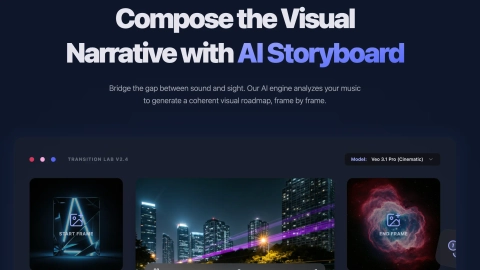
Musiv turns audio into a cinematic, scene-based music video with visuals that follow the structure and energy of your track. Upload a song (MP3), choose a format, and optionally include synced lyrics, then let Musiv propose a storyboard and direction mapped to the music.
You can direct the creative output shot by shot: refine scene descriptions, adjust lyrics treatment, and regenerate only the parts that need another take. Musiv supports multiple visual direction options and editor-selected film styles to help shape the mood, pacing, and atmosphere of the final cut.
When you’re ready, preview the sequence and export an MP4 with your original music and optional subtitles. Musiv is designed for creator workflows—release videos, lyric-led visuals, social clips, and campaigns—without requiring professional editing skills.
What inputs does Musiv support to generate a music video?
You can add an MP3 or other audio file, then select the range you want to develop. Lyrics can be included when useful to help guide the visual storytelling.
How does Musiv make the visuals match my song?
Musiv reads your track’s music structure, rhythm, mood, and energy to propose beat-aware scenes. Scenes are mapped to the song so transitions and pacing feel connected to the audio.
Can I edit or refine the generated scenes?
Yes. You can review the storyboard, refine direction shot by shot, and regenerate only the scenes you want to improve. This keeps creative control while still automating the first draft.
What video formats are supported for exports?
Musiv supports 16:9 and 9:16 formats, including syncing to social-friendly vertical output. Exports are provided as an MP4 with the original music and optional subtitles.
Do I need professional video editing skills to use Musiv?
No—Musiv is built to let you work from a song and creative direction instead of starting from a blank editing timeline. You can refine scenes using straightforward scene-by-scene controls.
Is it better to generate a full song or a shorter section first?
Start by validating the direction with a shorter preview (such as 15 or 30 seconds) before committing to a full track. A complete song generally needs more scenes and more review and recovery.