
scifig.ai
AI Scientific Figure Generator
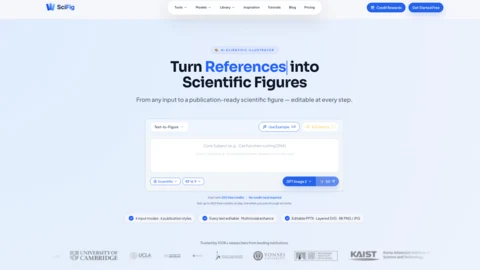
SciFig generates publication-ready scientific figures from text, sketches, references, PDFs, and photos—then keeps everything editable and exports to PPTX, SVG, and 8K PNG/JPG.
Listing signals
Domain rating
29
Domain rating is Ahrefs' measure of domain quality according to links.
Popularity
Medium
Page views, clicks to the site and upvotes in the last 30 days, ranked against every live listing.
About tool
SciFig is an AI scientific figure generator that turns text prompts, hand-drawn sketches, reference images, research PDFs, and lab photos into publication-ready figures. Pick from six publication styles—or use Auto mode to follow your prompt—so you can match the look you need for manuscripts, posters, and slides.
Unlike flat image generators, SciFig keeps your figure editable after generation. Edit text directly (content, font, size, and position), refine details in a built-in canvas with element-level controls, and use a PDF as context to help with smarter revisions.
When you’re ready to finalize, export your figure as editable PPTX or layered SVG, or download high-resolution 8K PNG/JPG for large-format use. Vector-ready outputs and canvas editing help you fine-tune shapes and labels without extra rework in other tools.
What inputs can I use to create a figure in SciFig?
You can start from a text prompt, hand-drawn sketch, reference image, research PDF, or a lab photo. Multiple input modes help you work from whatever material you already have.
Can I edit the figure after it’s generated?
Yes. Your figure is editable at the element level, including direct text editing and canvas-based changes with undo/redo.
How do the publication styles and Auto mode affect my output?
SciFig offers six publication styles (including scientific and editorial looks). Auto mode skips the style overlay and follows your prompt without applying a preset style.
What formats can I export for final figures?
You can export editable PPTX and layered SVG, and also download high-resolution 8K PNG or JPG.
Do I need to export and edit again in Illustrator or similar tools?
No. SciFig supports vector-ready outputs and includes a built-in canvas for element-level fine-tuning, so you can keep edits in one workflow.
How do credits work for new users?
New users get 300 free credits on day one when joining through an invite. You can sign up for free, and you’ll be able to log in later to keep credits and figure history.