
blur-image.org
Blur Images Online
Blur images in your browser with precise tools for selective blur, face redaction, text/PII masking, pixelation, and motion effects.
Listing signals
Domain rating
22
Domain rating is Ahrefs' measure of domain quality according to links.
Popularity
Medium
Page views, clicks to the site and upvotes in the last 30 days, ranked against every live listing.
About tool
blur-image.org is an AI-assisted image blurring toolkit designed for privacy-first redaction and fast, in-browser editing. Upload an image (or paste a screenshot) and then choose from specialized blur options to protect sensitive or identifying information before sharing.
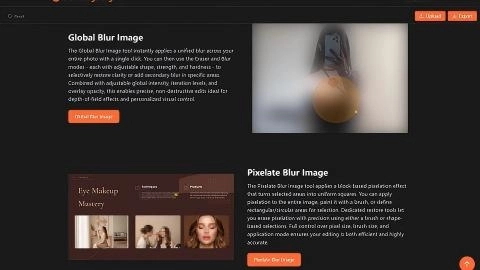
Use Selective Blur for pixel-perfect control over what stays sharp versus what gets blurred, or apply Global Blur for one-click full-image blurring with adjustable intensity and refinement via eraser/blur modes. If you need mosaic-style obfuscation, Pixelate Blur turns selected areas into block-based squares with tools to paint or restore sections precisely.
For automated redaction, Blur Faces detects faces and blurs them in one click, while Blur Text finds and blurs text with multiple blur styles and manual brush/eraser refinement. Blur Sensitive Info automatically obscures private content (such as credit card numbers, addresses, or personal identifiers) using smooth Gaussian or pixelate blur styles, plus manual cleanup. Motion Blur adds directional blur effects to any part of an image, giving a controlled sense of movement.
Can I blur only part of an image (not the whole photo)?
Yes—Selective Blur lets you control exactly which areas remain clear and which are blurred, so you can redact or emphasize specific parts.
How do I blur faces automatically?
Use the Blur Faces tool to detect faces and blur them with one click. You can also switch to a manual drawing mode for extra blur or precise erasing.
Can I blur text without downloading software?
Yes—Blur Text uses AI to detect and blur text, then offers multiple blur styles and manual brush/eraser tools for fine-tuning.
What’s the difference between Global Blur and Selective Blur?
Global Blur applies a unified blur across the entire photo, then lets you refine with eraser and blur modes. Selective Blur focuses on targeting only the regions you choose to blur.
Can I pixelate sensitive areas instead of using a smooth blur?
Yes. Pixelate Blur applies block-based pixelation, and Blur Sensitive Info also supports pixelate style alongside smooth Gaussian blur.
What image formats can I export after editing?
You can export your edited image as JPG, PNG, or WebP.