
shotai.app
Free AI Image Generator
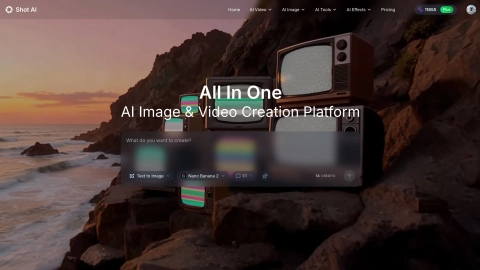
ShotAI.app is an all-in-one AI image and video creator that turns text or images into polished visuals using multiple advanced models and tools.
Listing signals
Domain rating
33
Domain rating is Ahrefs' measure of domain quality according to links.
Popularity
Low
Page views, clicks to the site and upvotes in the last 30 days, ranked against every live listing.
About tool
ShotAI.app is a single, streamlined platform for creating both AI images and AI videos. Generate images from text (Text to Image) or transform existing photos (Image to Image), then animate static visuals using Text to Video or Image to Video workflows.
The platform includes a set of AI effects and editing tools to speed up common production tasks, including background removal, background replacement, image enhancement, and resolution improvement. Preset templates help reduce prompt hunting and parameter tweaking so you can iterate faster.
ShotAI.app supports a range of advanced image and video models, giving you options depending on the look and motion you’re aiming for. Use it to produce short-form visuals, campaign-ready content, or quick iterations without switching between separate tools.
What can I create with ShotAI.app?
You can generate AI images (Text to Image and Image to Image) and create AI videos (Text to Video and Image to Video) in the same workspace.
Can I edit or refine images after generating them?
Yes. You can use image editing workflows like Image to Image and apply AI Effects and tools such as background removal and image enhancement to refine results.
What AI tools are included beyond generation?
ShotAI.app includes AI Tools for tasks like background removal, image upscaling/detail enhancement, and image conversion, plus video creation workflows like Frame to Video and Reference to Video.
How do I animate an existing image into a video?
Upload an image and use the Image to Video workflow, then add motion descriptions to guide the resulting animation.
How long does it take to generate content?
Generation time varies by the content and model used. Plan for short wait times when iterating, especially for multi-step creation workflows.
Do I need design or video editing experience to use ShotAI.app?
No. You can start by describing what you want to create and then use built-in tools and presets to guide the output.