
LiveSwapAI
LiveSwapAI
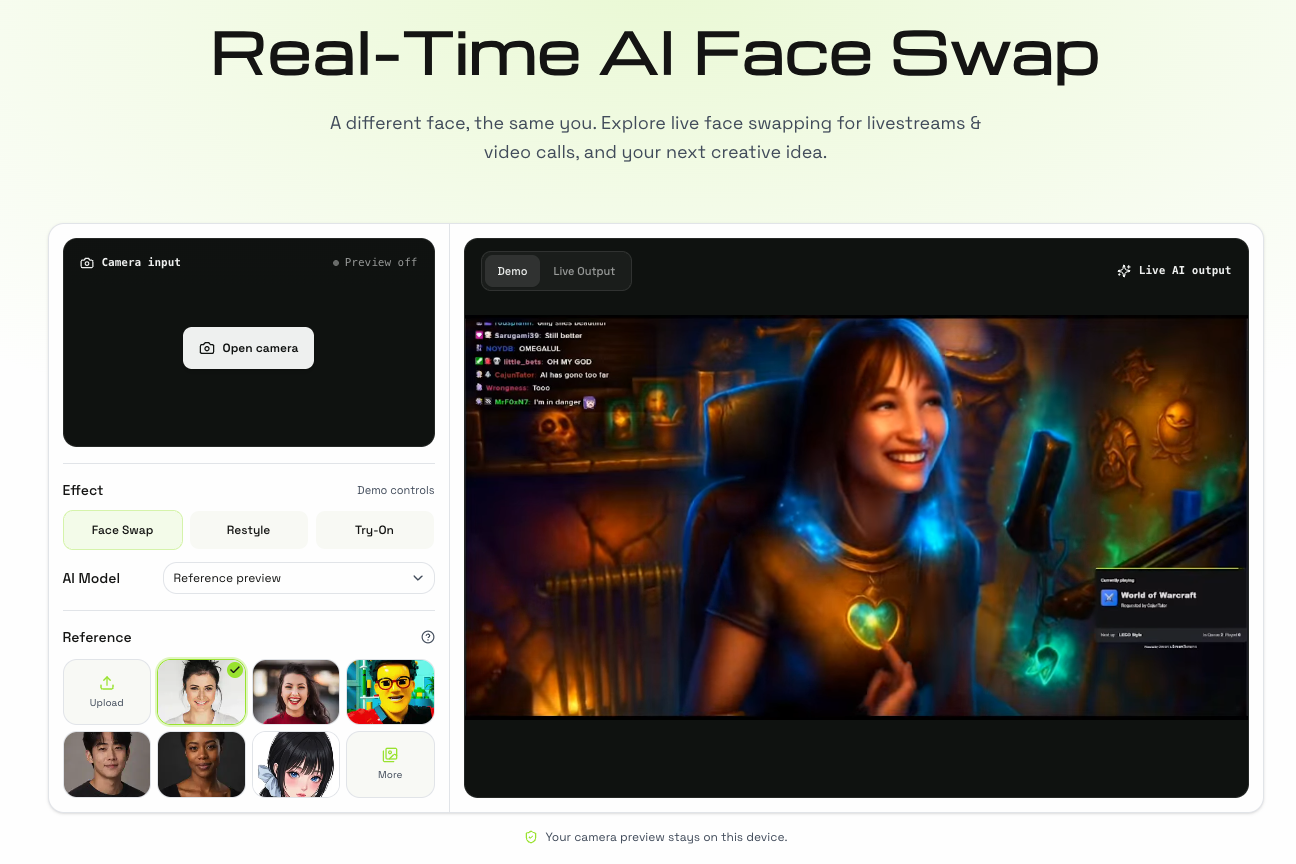
LiveSwapAI is real-time AI face swap for livestreams and video calls with a browser-based camera preview.
Listing signals
Popularity
High
Page views, clicks to the site and upvotes in the last 30 days, ranked against every live listing.
What is LiveSwapAI?
LiveSwapAI is an AI face swap web app that applies a reference face to your moving camera feed for live streams and video calls.
Live face swap for on-camera personas
LiveSwapAI focuses on live face swapping rather than editing a finished photo or video. You apply a reference portrait to moving camera footage so your appearance can change in real time for livestreams and video conversations.
The workflow starts in your browser: you choose or upload a portrait and check how the effect looks against your camera preview. The page also includes demo controls (including Face Swap, Restyle, and Try-On) and sample clips that show different on-camera personas, streaming looks, and character transformations.
How it works in practice
Live face swapping uses a reference face on live, moving footage. For best results, start with:
- A clear portrait (front-facing helps)
- Even lighting
- One well-framed face
Live camera preview stays local on your device. Live AI processing and virtual-camera output are described as not connected yet on this preview page.
Where it fits: streams and video calls
LiveSwapAI is positioned for multiple live identity use cases, including:
- Video calls & meetings (creative on-camera looks for conversations and presentations)
- Streamers & VTubers (a consistent persona your audience recognizes)
- Characters & comedy (switch faces to change the mood of a scene)
- Podcasts & brand personas (consistent visual identity across episodes)
Browser preview and next-step compatibility
The preview works using a current browser with camera support over HTTPS. It supports uploading a single JPEG, PNG, or WebP portrait up to 10 MB.
For sending a swapped face into other apps, streaming tools (like OBS Studio) and meeting apps (like Zoom or Google Meet) need a compatible processed video input. Output to OBS Studio, Zoom, and Google Meet is stated as not available yet on this page.
Credits and pricing
LiveSwapAI uses credits (one-time payments, no subscription, and credits never expire). There is also a free trial.
- Starter Free Trial: 30 credits free for 3 days
- One-time credit packs: 1,200 credits ($15), 4,616 credits ($29), 15,000 credits ($69), 25,000 credits ($99), 40,000 credits ($149), 55,000 credits ($199)
Choosing a portrait and preparing your setup
A practical setup path is built into the experience:
- Choose a portrait you have permission to use
- Preview your camera and keep your face comfortably inside the frame
- Plan your live persona by comparing the examples
Create account to start.
LiveSwapAI FAQ
Can I use LiveSwapAI in a video call?
LiveSwapAI is designed for video calls and meetings with creative on-camera looks. The preview page focuses on browser-based camera checking, and virtual-camera output into Zoom/Google Meet isn’t available yet on this page.
What kind of photo should I choose for LiveSwapAI?
Use one clear portrait image with even lighting and a well-framed, front-facing face if possible. You should also have permission to use the image of the person shown.
When does the camera turn on in LiveSwapAI?
When you open the camera input in the browser preview flow, you’re prompted to allow camera access and then check your lighting and framing. The page states that the camera preview stays on your device.
What affects the live result in LiveSwapAI?
LiveSwapAI’s guidance emphasizes starting with a clear portrait, even lighting, and a face that’s comfortably inside the frame. Reference demos also show that transformations respond to framing and movement.
Is LiveSwapAI free?
LiveSwapAI offers a Starter Free Trial: 30 credits free for 3 days. After that, you can buy one-time credit packs; credits never expire.
How do I log in to LiveSwapAI?
Log in at https://liveswapai.com/sign-in.
What are some alternatives to LiveSwapAI?
Similar listings to compare with LiveSwapAI:
- Live Face Swap: Browser-based live face swap with a free local camera preview.
- FastH3 Omni: AI video generation using reference images and audio for creative outputs.
- TinyDesk.video: Turn portraits into short AI videos for on-camera style content.
- Video Frame Extractor: Extract frames from video files for manual or custom post workflows.