
Maeve Social
Maeve Social
Maeve Social is an all-in-one social scheduling and project management platform that plans, approves, publishes, and reports from one workspace.
Listing signals
Popularity
Medium
Page views, clicks to the site and upvotes in the last 30 days, ranked against every live listing.
About tool
Maeve Social brings planning, writing, scheduling, approvals, inbox management, and analytics into one workflow—so you can manage social publishing without juggling separate tools.
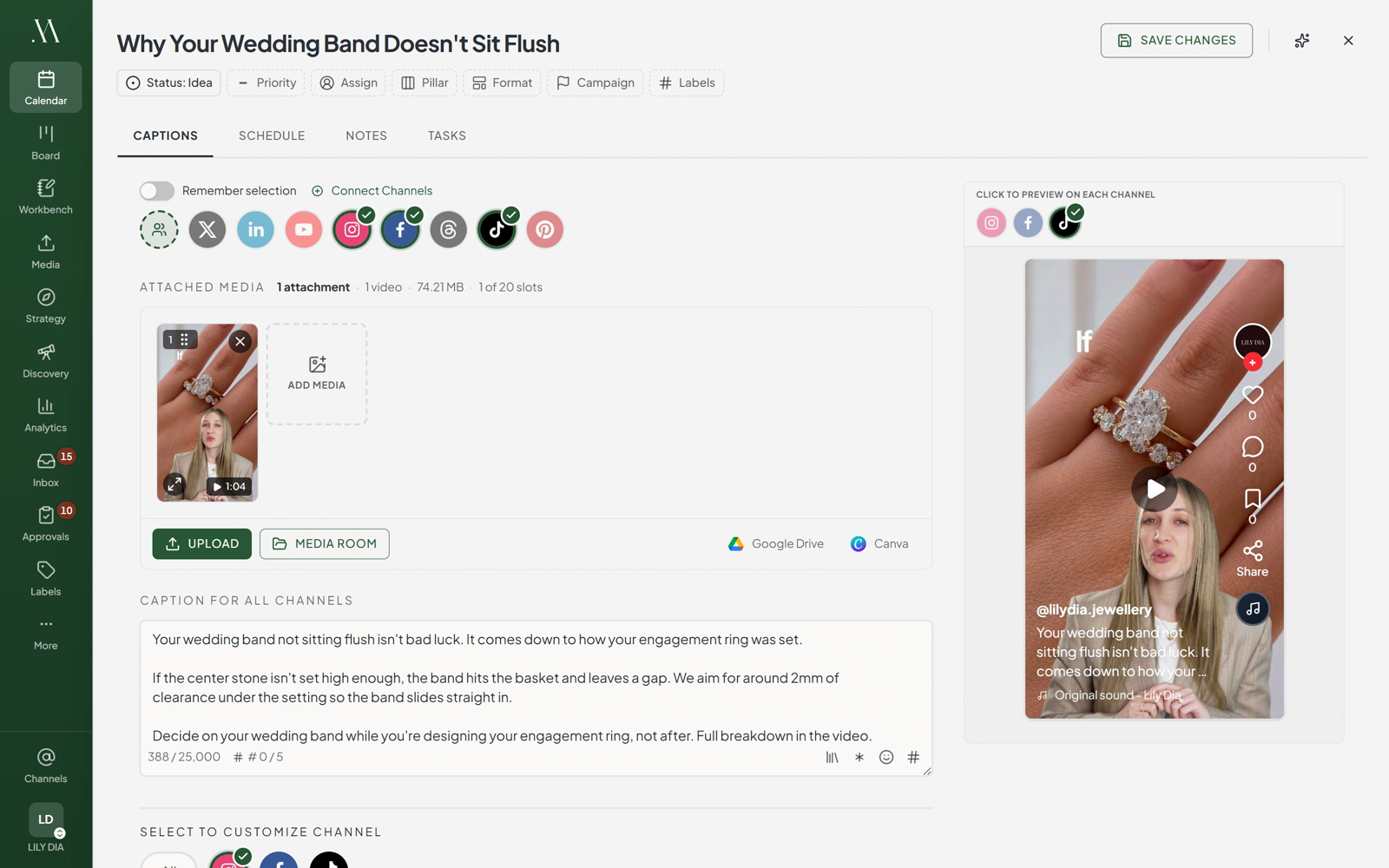
Plan and schedule across 9+ platforms from a single calendar, then draft and publish using one composer with platform-specific settings (including support for reels, stories, and media previews). A workbench-style canvas helps you keep briefs and scripts together with the posts they support, while the grid-style planning keeps your content organized as rows that fill in their status as they go out.
Collaboration stays in one place with an approvals area designed for sign-off stages for your team and clients, plus a unified social inbox for comments, DMs, mentions, and reviews. Analytics consolidates performance across platforms and adds deeper insights using labels, content pillars, and formats, with branded PDF exports for sharing results.
You can also use an AI agent workflow to draft content and automate actions like replies, supported through integrations and access methods that include major agent/client options and an API/CLI/MCP connection.
Which social platforms can I schedule with Maeve Social?
You can schedule to 9+ supported platforms from one calendar, including Instagram, Facebook, TikTok, YouTube, Threads, Google Business Profile, LinkedIn, X (Twitter), and Pinterest.
Can I customize captions and media for each platform before publishing?
Yes. Maeve lets you change the caption, media, and platform-specific custom settings per post so items like Instagram reels and TikTok music can be handled appropriately in the composer.
How do approvals work for internal teams and clients?
Approvals use a dedicated area with sign-off stages, drafts that show what changed, and a queue that indicates what’s waiting. Clients can review via a client portal without needing a client seat, and they can do it from a phone app.
Does Maeve Social unify messages and engagement in one inbox?
Yes. Comments, DMs, mentions, and reviews come into a single social inbox so you can reply from one place. Auto replies can be set up for common questions (including Instagram and Facebook).
What kind of analytics and reports can I export?
You get native analytics plus a consolidated view across platforms. Reports export as branded PDFs and include insights tied to labels, content pillars, and formats.
Can Maeve Social help with competitor and hashtag tracking?
Yes. You can track competitors for posting frequency and engagement, and see trending TikTok hashtags, music, and searches alongside discovery watch lists.