
medicalillustration.app
Medical Illustration Generator
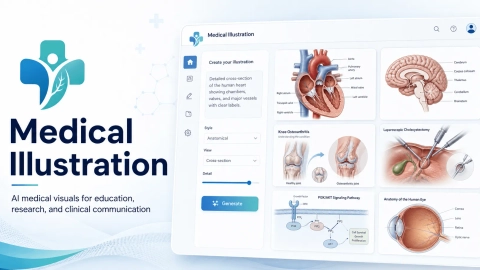
Generate labeled medical illustration drafts from plain-English prompts, then review and refine labels, style, and angles in one workspace.
Listing signals
Domain rating
33
Domain rating is Ahrefs' measure of domain quality according to links.
Popularity
Low
Page views, clicks to the site and upvotes in the last 30 days, ranked against every live listing.
About tool
Medicalillustration.app helps you create medical visuals for teaching, research, and patient education—starting from a text prompt. Generate a labeled draft you can review, refine, and adapt for slides, papers, and clinic handouts.
Create anatomy diagrams, research figures (including multi-panel layouts), surgical illustrations, and patient-friendly visuals. Work in a single workspace to adjust labels, style, and viewing angle, including multi-view anatomy and workflow-focused prompts.
Once your draft looks right, export high-resolution outputs for presentation and publication workflows after your own review. Use it as a fast starting point, then apply your domain knowledge to ensure the final figure matches your intended relationships and details.
What types of medical visuals can I create with medicalillustration.app?
You can generate labeled anatomy diagrams, research figure drafts, surgical illustrations, and patient education visuals from plain-English prompts.
Do I need drawing skills or specialized software to use it?
No. Describe the visual you need in plain English, then review and refine the labeled draft in the workspace.
Can I adjust labels and the viewing angle before exporting?
Yes. After generation, you can review and adapt labels, style, and viewing angle before downloading or using the illustration in your materials.
Is it suitable for research figures and multi-panel layouts?
Yes. You can draft pathway diagrams, graphical abstract-style visuals, and multi-panel research figure layouts, then refine the parts that matter.
Can I use the outputs in teaching, presentations, and patient handouts?
Yes. The workflows are designed for teaching and training visuals, research updates, and patient communication materials.
Should I review the generated illustration for accuracy?
Yes. Treat the output as a draft and perform your own review for scientific accuracy and any factual or procedural relationships before using it in final clinical or academic work.