NotionEverything.com
Notion Directory
Browse 550+ Notion templates, tools, and resources on NotionEverything.com to organize life, manage business, and boost productivity.
Listing signals
Domain rating
50
Domain rating is Ahrefs' measure of domain quality according to links.
Popularity
Low
Page views, clicks to the site and upvotes in the last 30 days, ranked against every live listing.
Built withWebflow
Webflow makes it easy to build tools.
About tool
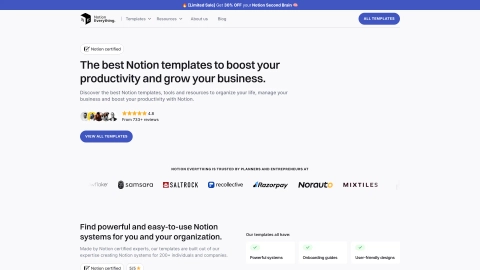
NotionEverything.com is a curated directory for Notion templates, tools, and resources designed to help you build a more organized, productive workspace. Explore a large collection of pre-built systems for personal and professional use—from all-in-one setups to focused templates for projects, finance, and freelancing.
Templates are presented as “Notion certified” resources and are built to include practical structure like onboarding guides, user-friendly designs, and powerful systems—so you can get started faster. Popular featured systems include the Second Brain 3.5, Small Business OS, Freelance OS, Finance Tracker Pro, and Project Manager Pro.
Beyond templates, you can also access free template lists, blog articles, and a Notion World directory of resources and tools to support your ongoing Notion learning. Use the site to find what fits your workflow, duplicate templates into your workspace, and level up how you manage tasks, notes, and operations.
What are Notion templates?
Notion templates are pre-built Notion pages you can duplicate into your workspace with a simple click. They can be simple pages or advanced systems built on multiple databases.
What can I use templates for on NotionEverything.com?
Templates are meant for both personal and professional organization. You’ll find options like daily task management, project management, notes and journaling, budgeting and finance tracking, habit tracking, and more.
Are all templates free on NotionEverything.com?
No—there are both free and paid templates. Many free options are available to help you start, while creators choose whether their templates are free or paid.
How do I create or publish a template in Notion?
To publish your template so others can duplicate it, share your page and enable the “Share to web” toggle. Then allow “duplicate as template” and share your template link.
Who can use Notion templates?
Anyone can use them, whether for personal productivity or business workflows. The gallery includes templates for students, freelancers, startups, agencies/companies, and more.