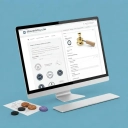
sealsdigital.com
Online Stamp Maker
SealsDigital is an AI-assisted online stamp maker for creating polished seals with guided templates, live preview, and export-ready files.
Listing signals
Domain rating
9
Domain rating is Ahrefs' measure of domain quality according to links.
Popularity
Low
Page views, clicks to the site and upvotes in the last 30 days, ranked against every live listing.
About tool
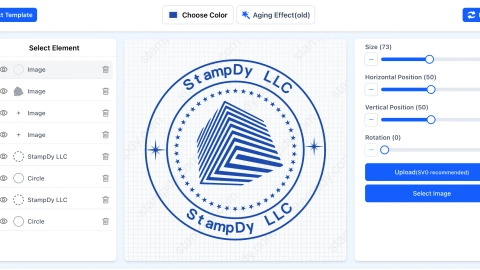
SealsDigital is a professional online stamp design studio for creating custom stamps without desktop software. Start from guided templates and build your seal in a live editor with clear controls for structure, typography, spacing, and effects.
Use AI-assisted guidance to speed up layout decisions like text sizing and alignment, while brand palette and typography matching help keep your stamp looking consistent. Customize colors, opacity, text layout, rotation, and styling options such as aging or other effects—then preview everything before you export.
When your stamp is ready, download production-friendly outputs for different workflows, including raster and vector formats plus document files. Choose from PNG, JPG, SVG, EPS, PDF, and DOCX so your seal can move smoothly from design into screen use, print, and everyday office documents.
Can I try SealsDigital before paying?
Yes—choose a template, edit the visual properties, and review the live preview before selecting an export.
Which export format should I choose for different uses?
Use raster formats for straightforward screen use and quick sharing, vector formats (SVG/EPS) for scalable artwork, and document formats like PDF/DOCX when you need the stamp placed into office workflows.
Do I need design experience to create a stamp online?
No. Templates provide the structure, and the editor’s controls and live preview help you adjust text, spacing, and effects without rebuilding the design from scratch.
Can I place the finished stamp artwork into a PDF?
Yes. You can use the PDF workflow via the available PDF editor after your stamp artwork is ready.
What kinds of stamps can I make with SealsDigital?
You can design business marks (company, paid/received/approval/date), brand and packaging stamps, event and personal designs like wedding and address stamps, and more based on the template library layouts.
Is a SealsDigital stamp a cryptographic digital signature?
SealsDigital creates stamp artwork for document use; it’s not presented as a cryptographic digital signature tool.