
PicVideo
PicVideo
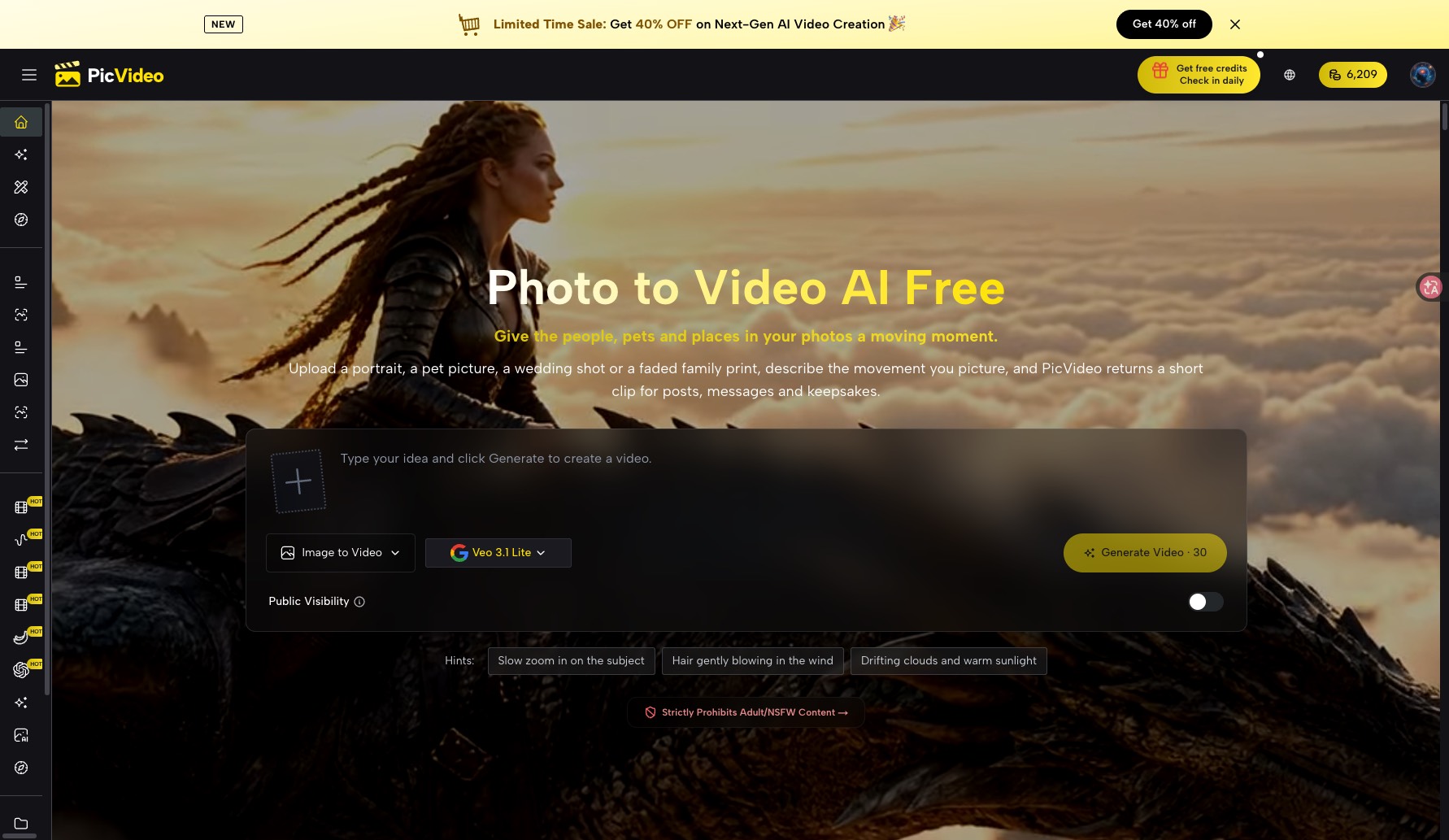
PicVideo turns portraits, pets, and old family prints into short AI video clips—often silent, with sound options depending on the model.
Listing signals
Popularity
High
Page views, clicks to the site and upvotes in the last 30 days, ranked against every live listing.
What is PicVideo?
PicVideo is an online photo-to-video AI generator that turns your portraits, pets, and old family photos into short animated clips based on prompts and references.
Turn photos into motion
Upload a portrait, pet picture, wedding shot, or faded family print, then describe the movement you want and generate a clip. PicVideo focuses on short-form results for posts, messages, and keepsakes, with workflows that let you steer motion either by describing action in words, guiding with reference pictures, or defining the start and end frames of the scene.
Choose how you control the clip
PicVideo offers multiple ways to shape results:
- Effects and ready-made scenes for common motions like hugs, kisses, dances, pet Halloween hats, or cartoon versions
- Reference-guided generation to help keep a face, product, or style consistent
- Start & end frame control by setting the first and last picture and describing the change between them
- Model selection so you can pick different clip lengths, styles, and audio behavior
Audio behavior depends on the model
Some outputs are returned silent so you can add your own soundtrack. Other models can include audio automatically—use the selected model/output behavior for your clip.
Model and output examples you can browse
PicVideo lists specific models with different characteristics, including:
- MiniMax H3 for 4- to 15-second clips (768p or 2K) with sound
- Seedance 2.5 for up to 30 seconds, steering with first/last frames, reference clips, or audio cues, and optionally generating audio
- Kling 4.0 for 3- to 30-second clips (720p or 1080p) that adds native stereo sound
- GPT Images 2.5 Sunburst for precision edits using up to 16 references (up to 4K output)
Credits and starting free
You can start with free credits and try without a credit card. Free creations are public and watermarked; paid options support private generations.
PicVideo supports both image and video generation in one workspace. Check-in credits never expire, and you can top up a free balance up to a set cap; signing up adds a fresh free credit amount.
Where to start
- Start on the free flow to use free credits (no sign-up needed for images)
- For video, sign up to get free video credits and then generate your first clip
PicVideo FAQ
What can I animate with PicVideo?
PicVideo can animate portraits, pets, wedding photos, places, and older or faded family prints into short clips.
How do I create a photo-to-video clip in PicVideo?
Upload a photo, describe the movement you picture (for example, a slow zoom or head tilt), choose a model/workflow, and generate a short animated clip.
Can I control the motion more precisely?
Yes. PicVideo supports reference pictures to steer results and can also use start and end frames, where you upload the first and last frame and describe the change between them.
Do PicVideo video clips include sound?
Some PicVideo outputs are returned silent so you can add your own soundtrack. Other models include audio automatically, and audio behavior depends on the model/output you choose.
Are free PicVideo results private?
No. PicVideo free results are public and watermarked. Private videos are supported through paid options.
How long can PicVideo video clips be?
Clip length depends on the selected model and workflow. Options range from short segments of a few seconds up to around 15 seconds, and some methods support longer outputs.
Is PicVideo free?
PicVideo offers a free way to try: you can generate with free credits and use daily check-in credits. A free account adds free credits for videos and images, while free creations are public and watermarked; private generations require paid options.
What are some alternatives to PicVideo?
Similar listings to compare with PicVideo:
- Image to Video 2.0: Image-to-video generator focused on turning one image into short clips.
- ImgVid: Browser-based, prompt-driven image-to-video generator for short clips.
- Seedance 2.5: A multimodal video generator with strong image-based motion control.
- TinyDesk.video: Portrait-to-video generator tailored for short desk-concert style clips.