
portchecker.cc
Port Checker Online
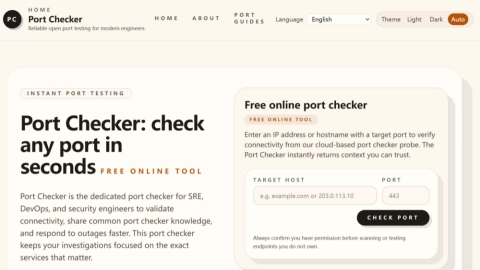
PortChecker.cc lets you test whether a specific TCP or UDP port on an IP or hostname is reachable from the public internet, free in your browser.
Listing signals
Domain rating
8
Domain rating is Ahrefs' measure of domain quality according to links.
Popularity
Low
Page views, clicks to the site and upvotes in the last 30 days, ranked against every live listing.
About tool
PortChecker.cc is a free online open port checker that helps you verify whether a port on a public IP address, IPv6 address, or hostname is reachable from outside your local network. Enter a target host and port, then run an external probe to assess reachability without installing anything or creating an account.
PortChecker.cc tests TCP and UDP side by side. This gives you immediate visibility into whether a service is open (responding), closed (explicitly rejected or not listening), filtered (packets appear blocked before a clear response), or open-or-filtered for UDP when there’s no response.
Use the results to troubleshoot common network and deployment issues such as port forwarding, firewalls, cloud security group rules, CGNAT, and service availability. It also includes port guides for popular services so you can jump into the right protocol/port combination during investigations.
What does PortChecker.cc test when I run a port check?
It performs an external connectivity test for the specific port you enter, checking TCP and UDP reachability from outside your local network.
Can it tell me whether my port forwarding is working?
Yes. After you set up port forwarding, you can run a new external check to confirm whether the port is actually reachable from the public internet.
Why might my port show TCP open but UDP open-or-filtered?
TCP and UDP behave differently. UDP may not respond even when the port could be open, so “open or filtered” indicates inconclusive UDP behavior rather than a clear open/closed outcome.
What should I do if the result is “filtered”?
Review firewalls and access controls along the path—host firewall rules, cloud security groups/ACLs, router rules, ISP filtering, and any source-IP allowlists—since filtered results suggest packets are dropped before a clear response.
Is it safe to test any IP address or hostname?
Only test endpoints you have permission to scan or probe. Unauthorized testing can be disruptive and may be against policy or law.
Does this replace monitoring for production services?
No. PortChecker.cc is designed for quick reachability troubleshooting and verification, while production monitoring focuses on ongoing uptime, performance, and alerting.