squareeimage.com
Square Image Online
Convert any photo into a perfect square online without cropping—choose blur or color backgrounds, then download as high-quality JPG, PNG, or WEBP.
Listing signals
Domain rating
15
Domain rating is Ahrefs' measure of domain quality according to links.
Popularity
Low
Page views, clicks to the site and upvotes in the last 30 days, ranked against every live listing.
Built withWebflow
Webflow makes it easy to build tools.
About tool
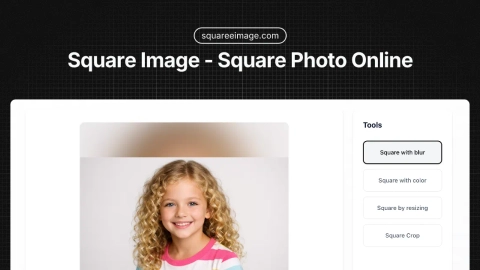
Squareeimage.com is a free online tool that turns photos, pictures, and rectangles into perfect square images without cropping. It provides multiple ways to fit your image into a 1:1 canvas while keeping everything intact.
Pick a conversion method that matches your goal: blur background for depth-of-field style results, color background for solid borders, smart resize to fit everything proportionally, or precise crop when you want to focus on a specific area. You can fine-tune the output size, zoom, and blur intensity with a real-time preview.
Processing runs in your browser, so your images don’t need to be uploaded to a server. Download your squared image in high-quality JPG, PNG, or WEBP (with transparency support for PNG) and use it for social media profiles, posts, thumbnails, and more.
Can I make an image square without cropping?
Yes—use the blur background or color background modes. They fill the extra square space with a blurred or solid background while keeping the full original photo centered.
How do I convert a rectangle into a square?
Choose one of four methods: blur background (keeps everything with a blurred fill), color background (solid borders), resize to fit proportionally, or crop to select the portion you want.
How does the blur background mode work?
It keeps your subject sharp in the center while creating a blurred version of the image to fill the square canvas. You can adjust blur intensity with the slider.
What image formats can I upload and download?
You can upload JPG, PNG, and WebP (plus common image formats). Download options include JPEG and PNG, and WEBP; PNG supports full transparency.
What’s the recommended square size for social media?
A common default is 1200×1200px for many platforms like Instagram, Facebook, LinkedIn, and Twitter. You can also choose other sizes up to 10000px or keep the original.
Do my images leave my device during processing?
No. Image processing happens locally in your browser, so your photos never need to leave your device.