
CallToInspiration.com
UX Design Inspiration Directory
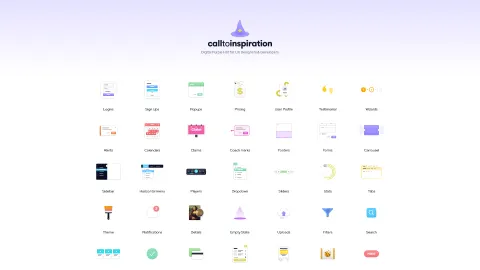
CallToInspiration.com helps you discover UX design patterns and components—from logins and dashboards to cards, forms, and notifications.
Listing signals
Domain rating
31
Domain rating is Ahrefs' measure of domain quality according to links.
Popularity
Low
Page views, clicks to the site and upvotes in the last 30 days, ranked against every live listing.
About tool
CallToInspiration.com is a UX design inspiration hub focused on practical interface elements you can reuse and adapt. Browse categories like Logins, User Profile, Dashboards, Sign Ups, and Payments to find layouts and UI patterns for common product screens.
You can also explore a wide range of interaction and UI components, including Popups, Tooltips, Toasts, Tabs, Sliders, Dropdowns/Carrousels, Filters and Search, Notifications, Alerts, and Empty States. Each area is organized to make it easy to browse by the type of UI problem you’re trying to solve.
If you’re refining overall page structure, you’ll find inspiration for layouts such as Sidebars, Footers, Horizontal menus, Tables, Timelines, Galleries, and chat/mail-style interfaces. The library also includes utility-style pieces like Helpers, Wizards, Uploads, and Counters, helping you round out the details that make screens feel complete.
What kinds of UX elements can I browse on CallToInspiration.com?
You can explore design categories like Logins, User Profile, Sign Ups, Dashboards, Cards & Lists, Forms, Tables, and Payments, along with interaction patterns such as Popups, Tooltips, Toasts, and Notifications.
Does CallToInspiration.com focus on specific UI sections like login and profile screens?
Yes—dedicated sections such as Logins, User Profile, and Sign Ups help you find inspiration tailored to those common product flows.
Can I find examples for navigation and page layout elements?
Yes. Look for layouts and navigation patterns like Sidebars, Horizontal menu, Tabs, Footers, and structured sections such as Tables and Timelines.
Are design interactions like alerts and empty states included?
You can browse components for Alerts, Notifications, Empty State, Success, and To pages like 404 and Upgrade plan-style screens to help with user feedback and edge cases.
Does it include components for filtering and finding content?
Yes. Categories include Filters and Search, helping you model experiences for finding items and refining results.
Is there any guidance beyond UI categories?
There’s an About/FAQ area and general informational pages (like Privacy and Imprint) alongside the main categories.