
vicoa.ai
AI Coding Anywhere
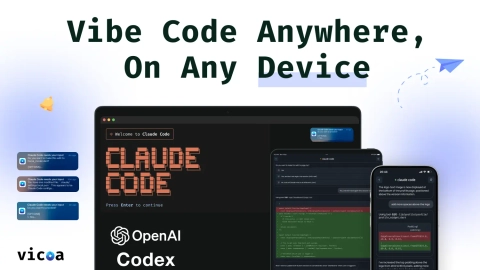
Run Claude Code, Codex, and other coding agents in one workspace, start on desktop, and steer/sync sessions from mobile or web.
Listing signals
Domain rating
25
Domain rating is Ahrefs' measure of domain quality according to links.
Popularity
Medium
Page views, clicks to the site and upvotes in the last 30 days, ranked against every live listing.
About tool
Vicoa is an agentic workspace for running multiple coding agents like Claude Code and Codex in parallel. Start an agent workflow on your desk, then steer it from your phone or tablet—keeping the same session going without losing context.
Each agent runs side by side and can be isolated on its own git worktree when available, so you can watch what’s happening and jump in only when needed. Review agent output with inline diffs and a file explorer, and use a live terminal view for the commands and logs that the agent ran on the same machine.
Vicoa is designed so your code stays on your own machines. Your devices act as a remote control that relays chat, approvals, and redirects through a secure relay, letting you approve changes, browse files, and respond immediately from web, mobile, or desktop.
You can also organize work with a task board, start sessions from tasks, and set up scheduled automations for recurring runs. Install the desktop app and sign in, or use the Vicoa CLI (npm i -g @vicoa/cli, then run vicoa) to connect and begin agent sessions.
Can I start a coding agent session on my laptop and continue it on my phone or tablet?
Yes. Pick up the exact same session across your phone, web, or desktop, with replies, approvals, and redirects syncing so you can continue where you left off.
Does Vicoa run my code on its servers?
No. Vicoa runs coding agents on your own machine(s), while your phone/tablet/web provides a remote control experience via a secure relay.
How does Vicoa help when I want to run several agents at once?
You can run multiple coding agents in parallel in one workspace and see their live status at a glance. When git worktrees are used, agents can be isolated so they don’t step on each other.
What can I review while an agent is working?
You can review inline git diffs with word-level highlights, browse the files the agent touched, and view the terminal commands and logs in a live terminal pane.
Can I steer an agent and approve changes from the mobile app?
Yes. You can chat with the agent, approve changes, redirect it, and keep messages in sync across mobile, web, and desktop.
Do I need git or worktrees to use Vicoa?
No. Vicoa works in any project folder, and git worktrees are optional—primarily for running agents in parallel without interfering.