Flux 3.net
Flux 3.net
Flux 3.net is a free, browser-based AI image and video generator that creates 4K results from text prompts or reference photos.
Listing signals
Popularity
Low
Page views, clicks to the site and upvotes in the last 30 days, ranked against every live listing.
What is Flux 3.net?
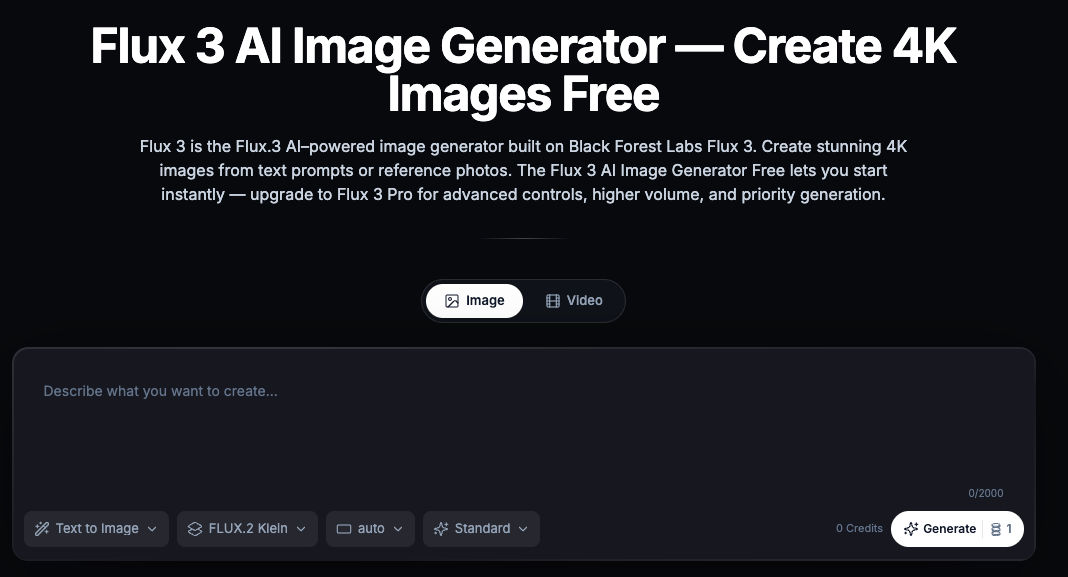
Flux 3.net is an AI image and video generator that turns text prompts or reference photos into high-resolution 4K images and AI videos.
Create 4K images from prompts or references
Flux 3.net (Flux 3) is a web-based tool built on Black Forest Labs’ FLUX 3. It generates image results from plain-language text prompts and/or by using uploaded reference photos to guide the output. The generator is designed to keep scene structure, spatial relationships, and object semantics aligned with your intent, so edits remain coherent as you iterate.
You can use Flux 3 in your browser by selecting Image (for 4K image generation) or Video (for AI video generation). After generating, you can preview, refine via prompt-based editing, and download high-resolution results.
Prompt editing that avoids manual masking
A core workflow on Flux 3.net is natural language editing. Instead of masking, layering, or manual tools, you can refine results by rewriting or adding instructions in plain language. Flux 3 also emphasizes style and tone preservation, keeping lighting, shadows, and texture consistent while applying your requested changes.
For teams or larger projects, it supports multiple image editing so you can process several images at once for batch transformations and consistent output (with additional capabilities available on Flux 3 Pro).
Video generation for short scenes
Flux 3.net also includes an AI video mode. Video generation is available up to 20 seconds.
Free starter access and Pro upgrades
Flux 3.net offers a Free experience with starter credits (no card required). For advanced controls, higher volume, and priority generation, upgrade to Flux 3 Pro.
On the pricing page, Flux 3 Pro is offered with one-time purchase options in credit bundles (annually priced options are also shown): 100 credits ($50), 220 credits ($100), 600 credits (annual -50% shown), 1700 credits, and 5000 credits, each described as including a commercial license.
How to use Flux 3.net
- Open Flux 3 in your browser and choose Image or Video
- Add a text prompt and/or upload a reference photo
- Click Generate, then preview, edit with prompts, and download high-resolution results
Flux 3.net FAQ
Can Flux 3.net generate both images and videos?
Yes. On Flux 3.net, choose Image to generate 4K images or choose Video to generate AI videos up to 20 seconds.
Do I need a reference photo, or can I use only text prompts on Flux 3.net?
You can do either. Flux 3.net supports text-to-image with a prompt, reference-image guidance by uploading a photo, or using both together.
What output resolution does Flux 3.net support for images?
Flux 3.net is designed for 4K image output. Flux 3 Pro can access 8K output via the 8K AI model.
How does prompt-based editing work on Flux 3.net?
Flux 3.net uses plain-language instructions to modify results. Editing is done by refining your prompt and regenerating—without needing masking, layering, or manual tools.
Is Flux 3.net free to try?
Yes. Flux 3.net provides a Free experience with starter credits so you can start without a card. You can upgrade to Flux 3 Pro when you need more volume or advanced features.
Can I use images commercially after downloading from Flux 3.net?
Yes. Downloaded images include commercial licenses, so you can use them for marketing, ads, design, and other commercial projects.
How do I log in to Flux 3.net?
Use the sign-in page at https://flux-3.net/signin to log in to your Flux 3 account.
What are some alternatives to Flux 3.net?
Similar listings to compare with Flux 3.net:
- omnivideo.net: Omni Video is a web-based AI video and image generator for marketing content from a prompt or reference image, in 16:9 or 9:16.
- FreeVideoGenerator: FreeVideoGenerator is a free AI video generator that turns text prompts and photos into short video clips.
- trynanobananaai.com: Nano Banana is an AI image generator and editor that creates and transforms images from prompts, with optional reference images and style changes.
- seedances.app: seedances.app is an AI video generator that creates videos from text or images using multimodal AI—start for free.
- Image3: Image3 is an AI image generator and editor for creating and refining production-ready visuals from text prompts or reference images.