Fontshare.com

Free Font Directory

Discover a diverse collection of high-quality free fonts at Fontshare.com, a directory of fonts provided by the Indian Type Foundry. Accessible and user-friendly, this font directory offers a wide selection for all your design projects.

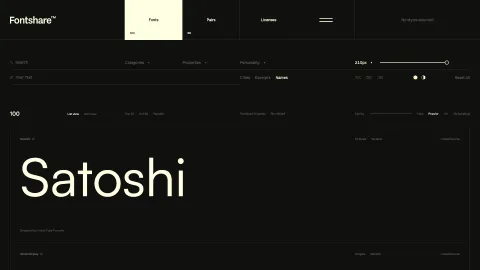
Fontshare.com screenshot

Domain rating

78

Domain rating is Ahrefs' measure of domain quality according to links.

Popularity

High

The popularity on this site, based on the listing quality score and engagement signals.

About tool

What is Fontshare.com?

Fontshare is a free fonts service from the Indian Type Foundry (ITF). It aims to make quality fonts accessible to everyone. ITF, founded in 2009, designs and distributes fine-quality, multilingual fonts for both the Indian and global market. They specialize in creating and developing both custom and retail fonts. ITF has designed and licensed fonts to some of the world's most iconic brands including Apple, Google, Samsung, Sony, Amazon, and Hyundai, to name just a few. Their retail library offers fonts for text and display use, in visual styles ranging from traditional to experimental. ITF currently offers over 200 retail font families across 20 writing systems. ITF’s Kohinoor font family is on permanent display at London’s Design Museum as part of the “Designer Maker User” exhibition.

What is the difference between Fontshare and Google Fonts?

Fontshare and Google Fonts are both free font services, but they have some key differences:

  1. Ownership of Fonts: All of the fonts on Fontshare are owned by the Indian Type Foundry (ITF), and there are no plans to extend the service to cover other foundries. On the other hand, Google Fonts indexes and hosts open-source fonts – the fonts themselves are not Google products, and are often made by type designers and foundries who have no connection to Google.
  2. Number of Fonts: As a result of the ownership, there are far fewer fonts available on Fontshare than on Google Fonts.
  3. Quality of Fonts: Despite having fewer fonts, the quality of fonts on Fontshare is consistently excellent and is considered higher than many offered by Google’s service.
  4. Privacy: If you have privacy concerns, you can download fonts from Google Fonts and host them yourself, which means Google can't track anything. Fontshare also allows you to download the fonts in OTF, WOFF, and WOFF2 formats for self-hosting.
  5. Embedding Options: Both Fontshare and Google Fonts offer two embedding options - you can link to their API, or you can download the fonts for self-hosting.

In summary, while Google Fonts offers a larger selection, Fontshare focuses on providing fewer but high-quality fonts. The choice between the two would depend on your specific needs and preferences.

What is the most popular font on Fontshare?

One of the most popular fonts on Fontshare is "Poppins". This font has been widely used in various web and mobile applications. However, popularity can vary based on specific use-cases and personal preferences. It's always a good idea to explore the Fontshare library and choose the font that best suits your needs.

Can I use Fontshare's fonts for free in commercial projects?

Yes, you can use Fontshare's fonts for free in both personal and commercial projects. They provide free access to exceptional and technically sound fonts. However, it's always a good idea to review the specific terms of the End User License Agreement on the Fontshare website to ensure your intended use is covered.

How can I download a specific font from Fontshare?

Sure, here are the steps to download a specific font from Fontshare:

  1. Go to FontShare.com.
  2. Select a font you like and then click on "View Family".
  3. Click on "Download Family", this will download a zip file.
  4. Extract the downloaded zip file and open the "WEB" directory.
  5. Copy the "fonts" folder and paste it into your web project.

You can also import the font into your stylesheet. Here's how:

  1. Enter the "css" folder, copy your font-name.css and paste it in your web project.
  2. In your stylesheet, import it using @import url('font-name.css'); followed by the font families that you would like.

For example, for the font Ranade, you would import the following fonts: ``` css

Copy code @import url('ranade.css'); /* The following font-family are available for usage with @font-face */ @font-face { font-family: 'Ranade-Variable'; } font-family: 'Ranade-Variable'; font-family: 'Ranade-VariableItalic'; font-family: 'Ranade-Thin'; font-family: 'Ranade-ThinItalic'; font-family: 'Ranade-Light'; font-family: 'Ranade-LightItalic';font-family: 'Ranade-Regular'; font-family: 'Ranade-Italic'; font-family: 'Ranade-Medium'; font-family: 'Ranade-MediumItalic'; font-family: 'Ranade-Bold'; font-family: 'Ranade-BoldItalic'; `` Please replace 'Ranade'` with the name of the font you downloaded.

Not verified

Unfortunately this tool hasn’t yet verified with us. Verified tools ensure that all info is up to date and correct.

Great advertising opportunity

This site offers advertising and gets a decent amount of search traffic.
Last modified
Jun 26, 2026
Date listed
Feb 7, 2024