
any2url.com
Image URL Converter
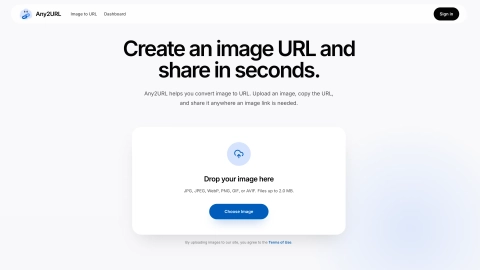
Any2URL turns local images into public shareable URLs in seconds, including a faster WebP preview option for quick loading.
Listing signals
Domain rating
23
Domain rating is Ahrefs' measure of domain quality according to links.
Popularity
Low
Page views, clicks to the site and upvotes in the last 30 days, ranked against every live listing.
About tool
Any2URL is an online hosting and sharing tool that converts a local image into a public URL you can paste anywhere a link is needed. Upload a picture, copy the generated address, and share it in chats, posts, forms, profiles, tickets, documents, or in Markdown/HTML.
No setup is required to get started—choose an image and immediately use the link. If you want more control, sign in to save important uploads, manage them from your dashboard, delete files, and replace an image while keeping the same URL.
By default, your original upload stays available and a faster optimized WebP version is also prepared for quicker viewing in modern browsers. Use the fast version for speed or open the original when you need maximum fidelity.
Do I need an account to create an image URL on Any2URL?
No. You can upload first, copy the generated public link, and share it right away. Sign in later if you want to manage saved uploads in your dashboard.
Are Any2URL links public to anyone who has them?
Yes. Shared links are public, so avoid uploading confidential or sensitive files. If you uploaded something by mistake, delete it from your dashboard after signing in.
What image formats does Any2URL support for URL creation?
You can upload common web image formats including JPG, JPEG, PNG, WebP, GIF, and AVIF. File sizes are limited to 2.0 MB for images.
Can I use an Any2URL link in Markdown or HTML?
Yes. The share page provides ready-to-copy Markdown, and you can also use the direct image URL in HTML or in tools/editor fields that accept hosted image links.
Does Any2URL keep my original image or compress it?
Your original upload remains available. Any2URL also prepares an optimized faster WebP version for quicker loading, so viewers can use the fast preview or open the original depending on what they need.
Can I replace an image without changing its URL?
Yes. For saved images, you can replace the underlying file while keeping the same URL, which is useful when a published post or page already points to that link.