
MomentRescue
MomentRescue
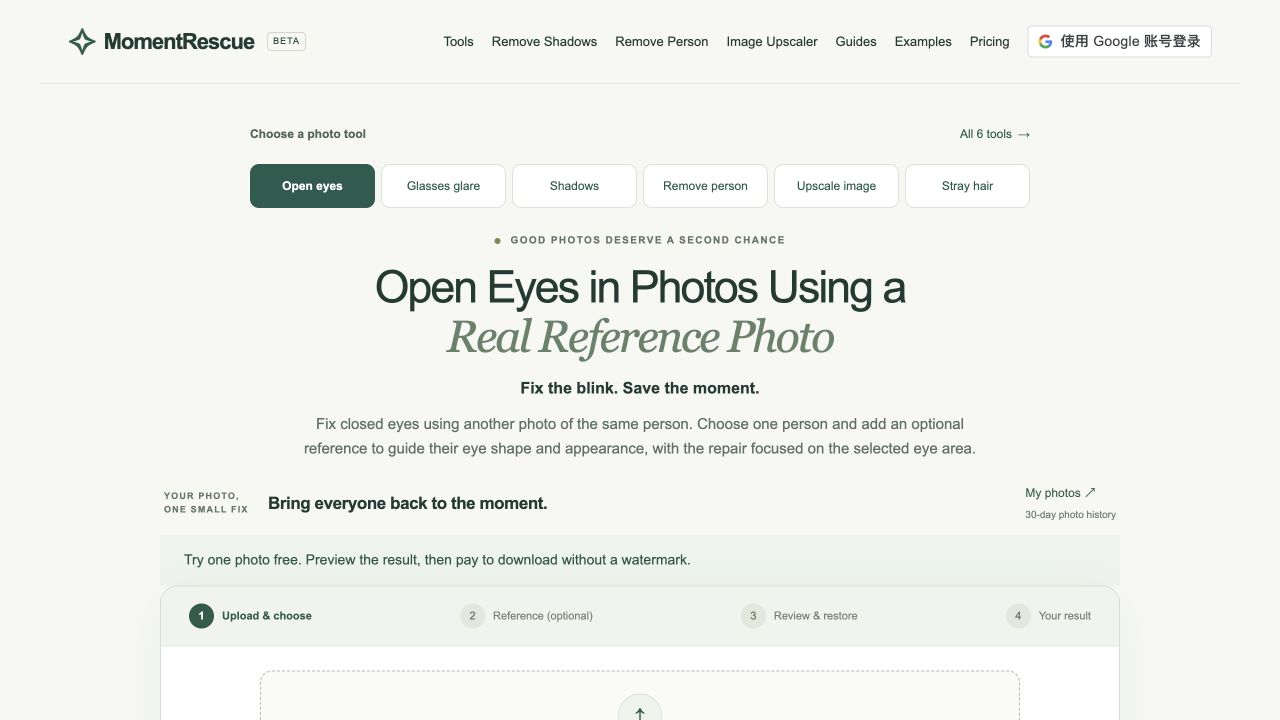
MomentRescue is an online photo repair tool that fixes closed eyes in a selected person’s eye area using an optional real-photo reference.
Listing signals
Popularity
High
Page views, clicks to the site and upvotes in the last 30 days, ranked against every live listing.
What is MomentRescue?
MomentRescue is an online photo repair toolkit that fixes closed eyes in a selected person’s eye area using an optional reference photo of the same person.
What MomentRescue does
MomentRescue’s “Open Eyes” tool targets a specific distraction: closed eyes (a blink) in a photo. Instead of regenerating an entire face or scene, you choose one person in the image and the edit focuses on the selected eye area.
The workflow is designed for browser use: upload an image, select the person whose eyes are closed, optionally add a reference photo to guide eye shape and appearance, then generate and compare a before/after preview.
Key features for opening closed eyes
- One person at a time: edits are applied to the selected person, keeping the rest of the photo in place.
- Eye-area focus: the tool concentrates on the eye area rather than changing the whole face.
- Optional real reference: add a real photo of the same person with eyes clearly open to guide eye shape, color, and expression.
- Compare before downloading: use a slider-style before/after comparison and inspect eyelids and gaze.
Reference photo guidance
MomentRescue explains that without a reference photo, AI has to guess the person’s eyes. With a reference, the tool can use real visual information about eye shape and expression—but results still depend on the uploaded photos and should be checked carefully.
A strong reference typically shows the same person with both eyes clearly open, a clear face, and a similar head angle and lighting. Avoid sunglasses, heavy blur, tiny faces, and extreme profile angles.
Pricing and credits
MomentRescue is BETA and includes a shared free preview per account across all tools. After that, each new Open Eyes restoration uses Rescue Credits:
- Fix one photo for $1.49 (1 Credit) and download the clean full-resolution photo without a watermark.
- Re-downloading the same unlocked result is free.
- Credits do not expire.
After the first shared free generation, each new Open Eyes edit uses 1 purchased Credit and includes the clean download. The tool shows pricing before you confirm.
Photo privacy and processing behavior
MomentRescue describes privacy handling for Open Eyes: your original photo is stored privately for 30 days to support account history; selected face crops go to fal.ai for processing; final assembly runs in your browser. You can delete finished photos earlier. Photo results are available for review during the storage period.
Who it’s for
MomentRescue is suited for photos you can’t retake—family portraits, group shots, wedding photos, graduations, travel memories, and pictures of kids—especially when the moment is worth keeping but one person blinked.
MomentRescue FAQ
How do I use MomentRescue to open closed eyes in a photo?
Upload your photo, then click/select the person whose eyes are closed. Optionally add a reference photo of the same person with eyes open, generate, and compare the before/after preview. Download the clean result as a new PNG.
Is MomentRescue free?
MomentRescue includes one shared free preview per account across eligible cloud tools. After the free preview, Open Eyes restorations require a purchased Rescue Credit to download the clean full-resolution result.
How much does MomentRescue cost for a closed-eyes fix?
A standard Open Eyes repair costs $1.49 for 1 Credit, which includes the clean full-resolution download without a watermark. Higher-value credit packs are also available, but each standard repair uses 1 credit.
Do I need a reference photo to open eyes in MomentRescue?
No. You can run Open Eyes without a reference photo, but MomentRescue notes that the tool may have to guess the person’s eyes. Using a real reference photo of the same person can provide guidance for eye shape, color, and expression.
Can I fix a group photo with multiple people in MomentRescue?
Yes, but edits are applied one person at a time. MomentRescue focuses the repair on the selected person, keeping the rest of the photo in place, so you’d repeat the process for additional people if needed.
How are photos handled in MomentRescue?
For Open Eyes, MomentRescue stores the original photo privately for 30 days for account history support. Selected face crops are sent to fal.ai for processing, while final assembly runs in your browser. You can delete finished photos earlier.
Does MomentRescue change the whole face?
No. Open Eyes focuses on repairing the selected eye area rather than generating a new scene or replacing the entire face. The tool encourages reviewing eyelids and gaze before downloading.
What are some alternatives to MomentRescue?
Similar listings to compare with MomentRescue:
- PhotoRepair: Browser AI photo repair with focused fixes like scratches and blur.
- Enhance My Photo: AI photo enhancer for portraits and everyday photos.
- ClipLumi: Online AI photo editor using up to 3 references and output controls.
- AI Image Edit: Text-prompt photo editor that generates a downloadable image change.