
happyoysterai.net
Real Time World Model
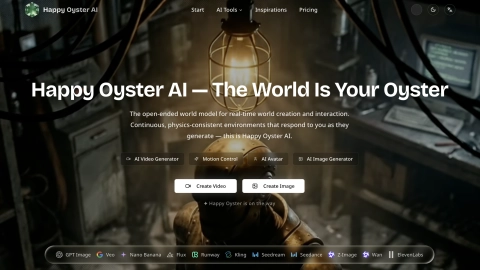
Happy Oyster AI is an open-ended world model and studio for real-time, physics-consistent environments that evolve as you direct them.
Listing signals
Domain rating
13
Domain rating is Ahrefs' measure of domain quality according to links.
Popularity
Low
Page views, clicks to the site and upvotes in the last 30 days, ranked against every live listing.
About tool
Happy Oyster AI delivers continuous, physics-consistent 3D worlds that respond to your inputs while they generate. Instead of producing a single, fixed clip, the environment stays coherent across a session—keeping lighting, gravity, object positions, and character motion aligned as you steer the scene.
The platform offers two ways to interact. Directing Mode acts like a real-time production studio, letting you steer scenes for up to three minutes at 480p or 720p using text, voice, or image instructions without restarting the run. Wandering Mode places you inside a first-person environment you can navigate with WASD and camera controls for up to one minute at 480p, while the world expands procedurally around your movement.
Happy Oyster also brings multiple AI creative engines into one workspace for video, image, audio, and editing tasks—so you can move between world-simulation direction and generation workflows. Use text prompts or upload reference images/clips, select an engine for your task, and download results from the same account.
What is Happy Oyster AI?
Happy Oyster AI is an open-ended world model for real-time world creation and interaction, producing continuous 3D environments that respond to your direction during generation.
What’s the difference between Directing Mode and Wandering Mode?
Directing Mode lets you steer a scene in a running session for up to three minutes (480p/720p) using text, voice, or image instructions. Wandering Mode gives first-person exploration for up to one minute at 480p, with the world expanding procedurally as you move.
How does a world model workflow differ from a standard AI video generator?
Clip generators optimize for producing a finished video from a single prompt, while Happy Oyster maintains a persistent environment that keeps responding to input throughout the session.
Which inputs can I use to create with Happy Oyster AI?
You can start from text prompts, upload reference images (for image-based workflows), and for relevant workflows use reference video/frames as inputs before generation.
What can I create on this platform?
You can generate AI video and images and use video editing capabilities through supported engines, with video/audio generation designed to work together in the platform’s generation workflows.
Can I use generated content commercially?
Commercial usage is available for outputs generated through paid plans, and the output is watermark-free and production-ready for uses like social media, advertising, film pre-production, product content, and client deliverables.